
 Nodaro Docs
Storyboard Film Studio
A theme, the characters and a style in; a 12-second animated short out — a script in four shots, a character sheet that keeps the cast identical, four…
Storyboard Film Studio is a ready-made Nodaro workflow in video ads. A theme, the characters and a style in; a 12-second animated short out — a script in four shots, a character sheet that keeps the cast identical, four numbered keyframes, one continuous take over them, and a score.
| Category | Video ads |
| Makes | video and images |
| Models | GPT Image 2, Seedance 2.5 |
| Nodes | 15 |
| Estimated cost of one run | About 2,031 credits, the price of its models when the template was saved |
| Level | Advanced |
Open Storyboard Film Studio in Nodaro
How it works
Storyboard Film Studio
A theme, the characters and a style become a 12-second animated short — four numbered keyframes, one character sheet that keeps the cast identical, one continuous take, a score. No product, no photos: three lines of text.
- Theme + Characters + Style — where and what, who, and the visual medium in your own words.
- Script — four shots, each with the still it opens on and the action that follows; the character described precisely enough to draw four times.
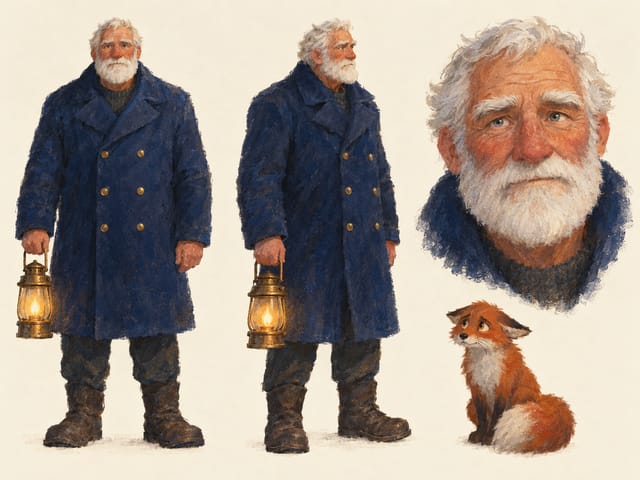
- Character sheet — the cast drawn once, three views on one page. Every keyframe copies it.
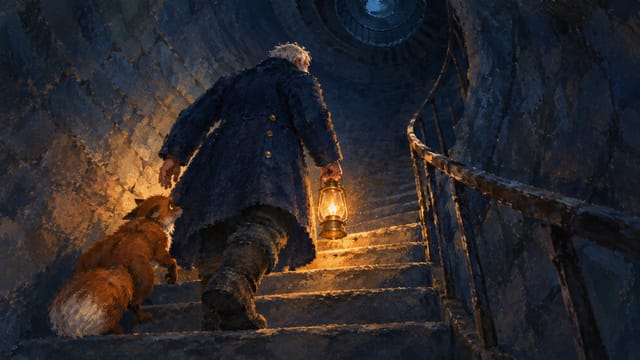
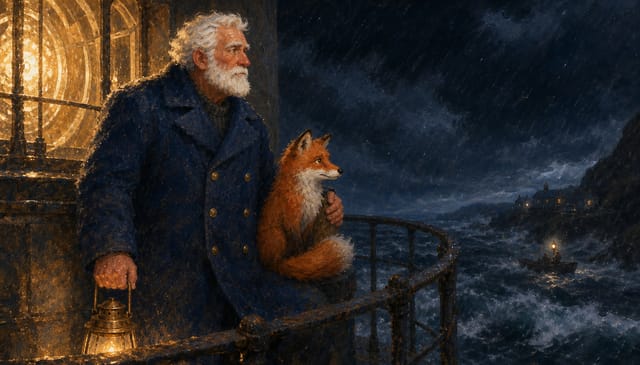
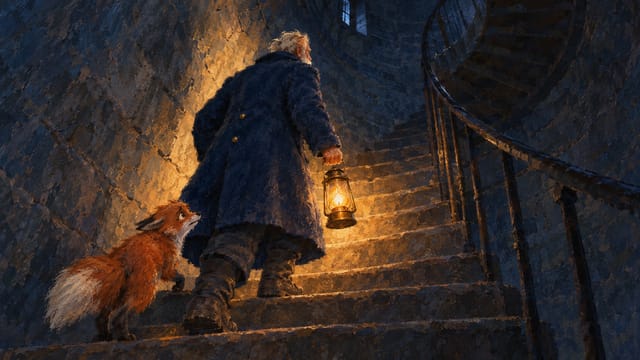
- Keyframes 1–4 — each shot's opening image, in the script's style. Rerun one alone for another take.
- Timeline script — one prompt: which keyframe each second starts from, what happens, where it arrives.
- The film — one video node with all four keyframes as numbered references renders the 12 seconds in one take; Suno scores it, trimmed and merged under it.
Step by step
Step 1
Where and what the film is about, in one or two lines: the place, the time, the small event. The script builds the four shots on this.
Step 1
Who is in the film — name, age, look, one trait each. Keep it to one main character and at most one companion; the character sheet draws exactly these.
Step 1
The visual medium and mood: hand-painted, watercolour, ink, stop-motion, flat vector… plus the palette and the pace. Describe it in your own words; never name a studio or an artist.
Step 2
Title, logline, style, a precise character description, the setting, four shots (frame + action) and a music line. Edit any shot by hand and rerun its keyframe.
Step 3
The cast drawn once — front, three-quarter, face — in the film's style. Every keyframe takes this as its reference, so the character stays the same across shots. If the sheet is off, rerun it before the frames.
Step 4
The opening image of each shot, rendered from the script with the character sheet as reference. These four images are the whole visual plan; rerun one alone for another take.
Steps 5–6
A director turns the script into one prompt: "0-3s: opens on @Image 1 … arriving at @Image 2 …". The video node receives the four keyframes as references in order and that prompt, and Seedance 2.5 renders the 12 seconds as one continuous take. Then a one-sentence score brief goes to Suno, Trim cuts the track to 12 seconds and Merge lays it under the take. Prefer a cheaper take? Switch the video node's provider to Wan 3.0.
What it made
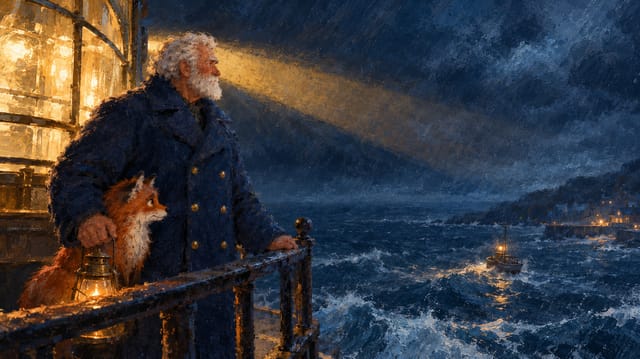
Results that the template made in Nodaro. Your results follow your own inputs.
Nodes in this template
The template is a workflow of 15 nodes. Each node below links to its page:
- Generate Image: 5
- Prompt: 3
- Text: 3
- Generate Video: 1
- Merge Video & Audio: 1
- Suno Create Music: 1
- Trim Audio: 1
Use this template
- Open the template in Nodaro and click Clone & customize. Nodaro copies it into My Workflows.
- Change the text and the pickers to your own subject.
- Click Run. The editor shows the price before anything runs.
Templates lists every template, and Choosing a model helps when you swap a model.
Frequently asked questions
What does the Storyboard Film Studio template make?
A theme, the characters and a style in; a 12-second animated short out — a script in four shots, a character sheet that keeps the cast identical, four numbered keyframes, one continuous take over them, and a score.
How much does one run of Storyboard Film Studio cost?
About 2,031 credits, the price of its models when the template was saved. The editor shows the current price before you run it, and you pay only for the nodes that run.
Which models does Storyboard Film Studio use?
GPT Image 2 and Seedance 2.5. You can switch any of them on the canvas after you clone the template.
Do I need to build a workflow to use Storyboard Film Studio?
No. Clone the template, replace its inputs with your own and click Run. The workflow is already built and connected.
Related
Video ad templates
Explainer Video Studio
FOOH Campaign Generator
Podcast Testimonial Studio
Street Interviews
Last updated on
Podcast Testimonial Studio
Your brand page and a persona brief in; a 12-second vertical podcast-style testimonial out — a believable customer at a microphone talking to camera, the…
Street Interviews
Turn any product, app, brand or idea into a series of natural street interviews built around conversations people actually care about — the workflow finds the…