
 Nodaro Docs
Ad Localizer Studio
One finished ad in, the same ad out in two more languages and two more shapes: every word translated in place with the layout, typography and brand names…
Ad Localizer Studio is a ready-made Nodaro workflow in static ads. One finished ad in, the same ad out in two more languages and two more shapes: every word translated in place with the layout, typography and brand names untouched, plus a story and a banner recomposed for their frames.
| Category | Static ads |
| Makes | images |
| Models | GPT Image 2 |
| Nodes | 10 |
| Estimated cost of one run | About 64 credits, the price of its models when the template was saved |
| Level | Advanced |
Open Ad Localizer Studio in Nodaro
How it works
Ad Localizer Studio
One finished ad becomes the same ad in two more languages and two more shapes. Every word is translated in place — same layout, same typography, brand names untouched — and the story and banner are recomposed for their frames, not stretched.
- Your ad — the finished creative with its text on it, in any language.
- Language 1 and Language 2 — type any language. Change them and rerun.
- Keep as is — what must stay in the original language: brand names, prices, links.
- Two translations — for each language an AI reads every text on the ad and writes a replacement sheet: this text becomes that text, the keep-list stays.
- Two localized ads — the ad with its text swapped per sheet, nothing else touched.
- Story and Banner — the original ad recomposed for a 9:16 and a 16:9 frame. For a translated story or banner, wire a localized ad into the reference instead of the source.
Step by step
Step 1
The finished creative with its text on it, in any language. A square ad works out of the box; for another shape, set the same ratio on the two localized nodes so the translation keeps the frame.
Step 2
Type a language in plain words: French, German, Japanese, Arabic. The first translation and the first localized ad follow it.
Step 3
A second language, the same way. Need a third? Copy a translation node and a localized node and wire a new language into them.
Step 4
For each language an AI reads every piece of text on the ad and writes a replacement sheet — the original text, then its translation — keeping brand names, numbers, prices and links as they are, each line about as long as the original so it fits the same space. Read the sheet; fix a line by hand if you like, then rerun its localized ad.
Step 5
The ad edited per sheet: every text swapped, nothing else touched — same layout, typography, colours, product and background. If a word drifts, correct the sheet and rerun this node alone.
Step 6
The same ad recomposed for a vertical 9:16 story and a wide 16:9 banner: every word and colour kept, the elements rearranged for the frame, the background extended — not cropped, not stretched. For a translated story or banner, wire a localized ad into the reference instead of the source and rerun.
Step 4
What must stay exactly as written, in every language: brand and product names, slogans you own, prices, numbers, links. Plain words, comma-separated. Both translators leave these untouched in their sheets.
What it made
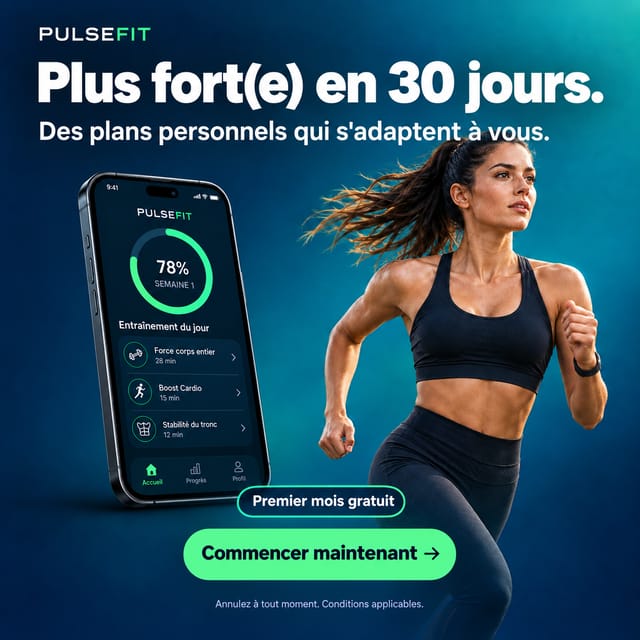
Results that the template made in Nodaro. Your results follow your own inputs.



Nodes in this template
The template is a workflow of 10 nodes. Each node below links to its page:
- Generate Image: 4
- Text: 3
- Prompt: 2
- Upload Image: 1
Use this template
- Open the template in Nodaro and click Clone & customize. Nodaro copies it into My Workflows.
- Replace the inputs with your own: Your ad.
- Click Run. The editor shows the price before anything runs.
Templates lists every template, and Choosing a model helps when you swap a model.
Frequently asked questions
What does the Ad Localizer Studio template make?
One finished ad in, the same ad out in two more languages and two more shapes: every word translated in place with the layout, typography and brand names untouched, plus a story and a banner recomposed for their frames.
How much does one run of Ad Localizer Studio cost?
About 64 credits, the price of its models when the template was saved. The editor shows the current price before you run it, and you pay only for the nodes that run.
Which models does Ad Localizer Studio use?
GPT Image 2. You can switch any of them on the canvas after you clone the template.
Do I need to build a workflow to use Ad Localizer Studio?
No. Clone the template, replace its inputs with your own and click Run. The workflow is already built and connected.
Related
Static ad templates
Ad A/B Studio
Ad Funnel Studio
Ad Motion Studio
Ad Remix Studio
Last updated on
Ad Funnel Studio
A product photo and a campaign brief in, a five-frame campaign out — hero, problem, solution, proof, call to action — one look, one series, with the product…
Ad Motion Studio
One finished static ad in, three ready-to-post clips out: an entrance video where the ad builds itself piece by piece, the same build played backwards as an…