
 Nodaro Docs
Kids Fashion Studio
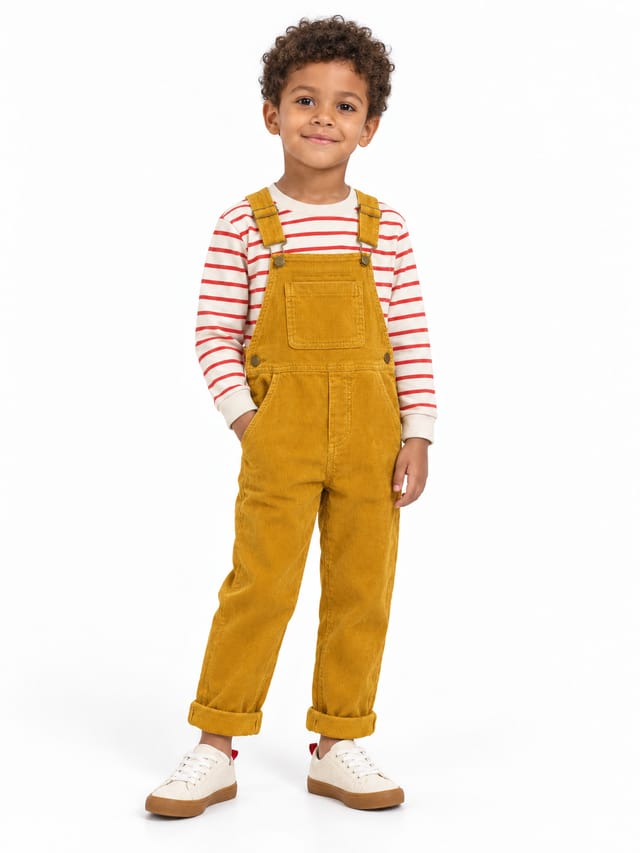
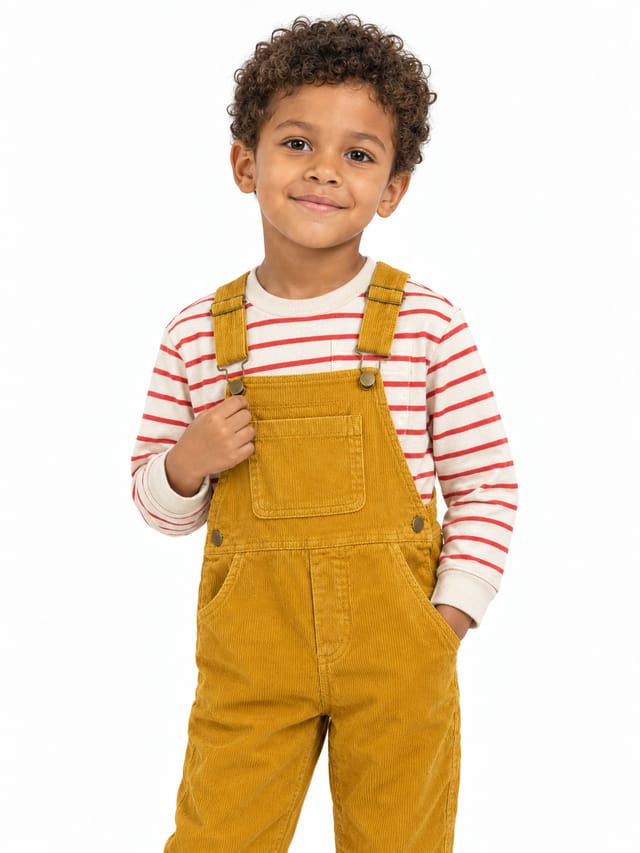
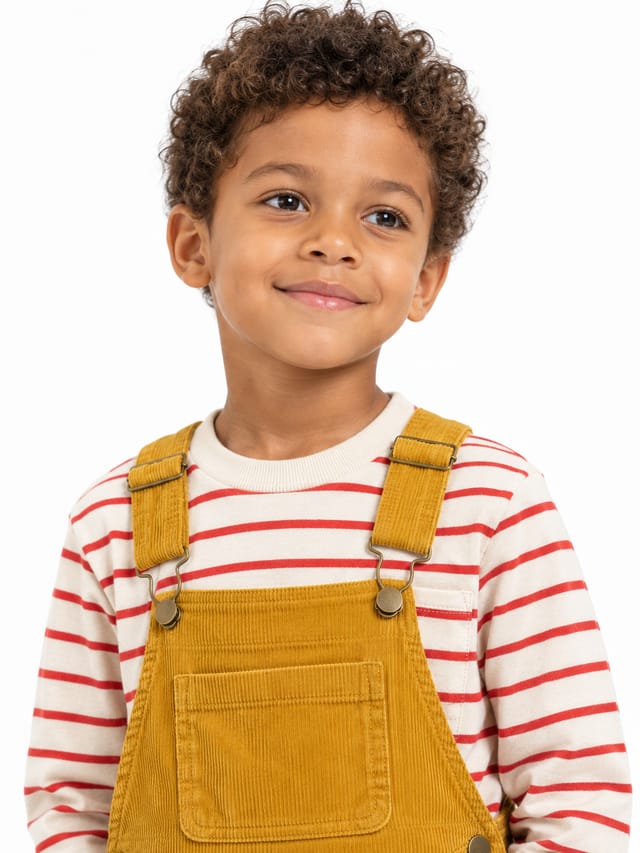
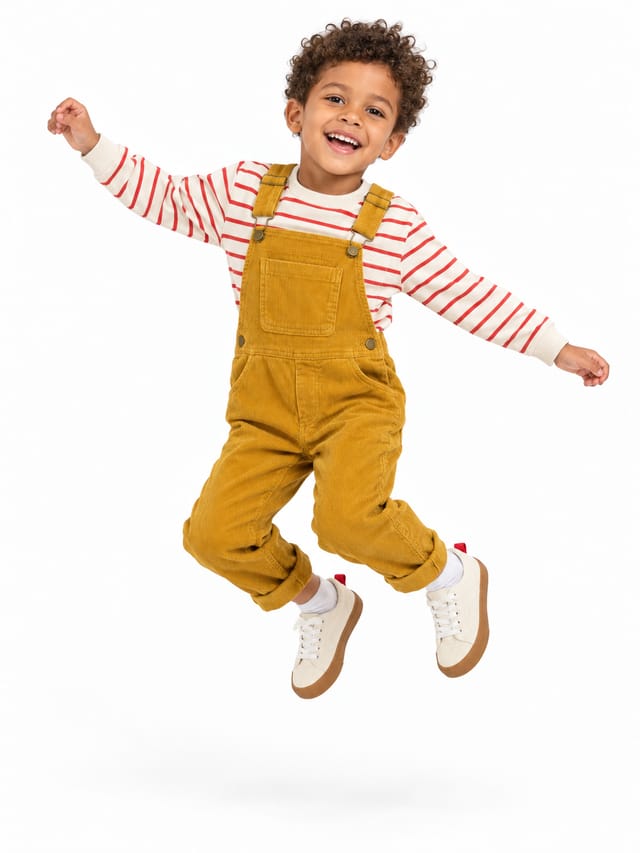
Three clothing photos in, a kidswear shoot out: a child from tiles in the whole outfit on white, four catalogue shots (full body, three-quarter, close-up,…
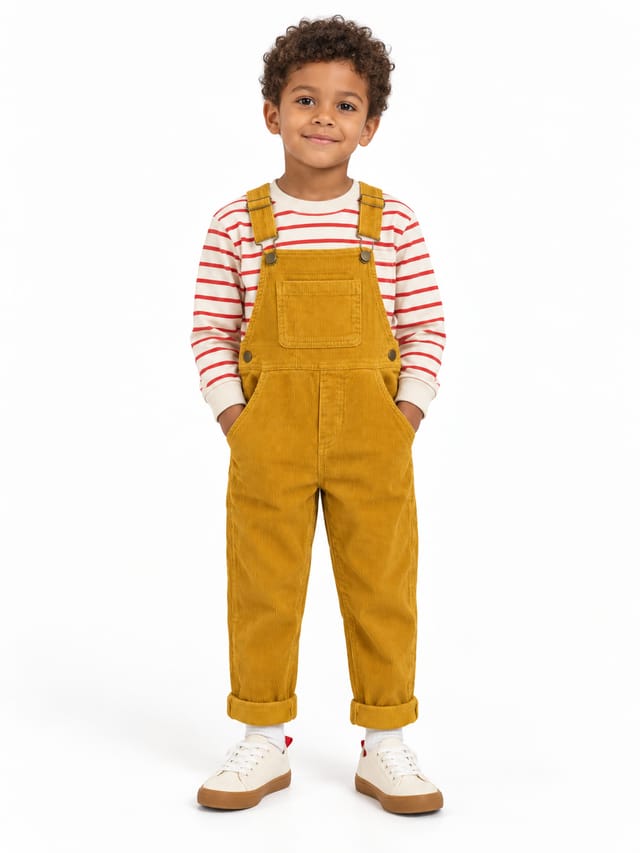
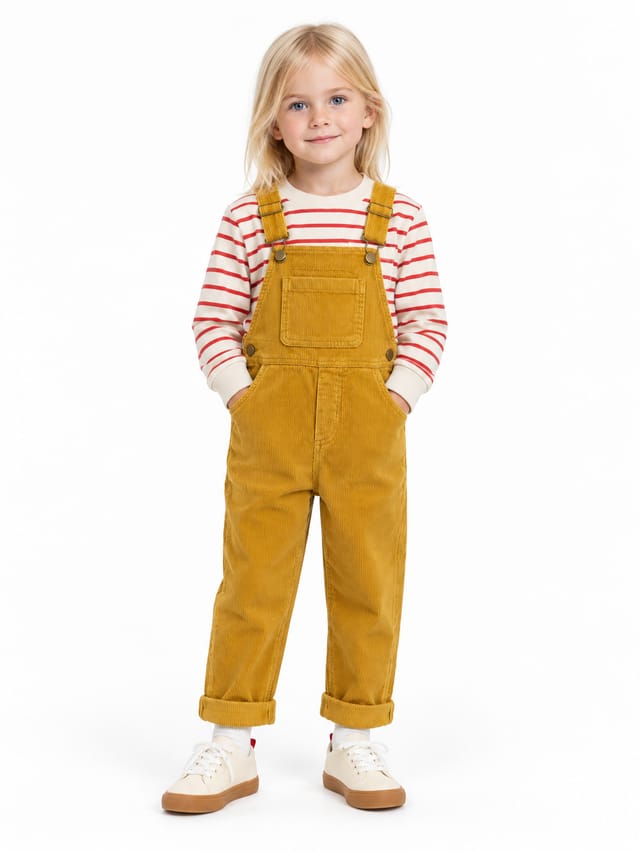
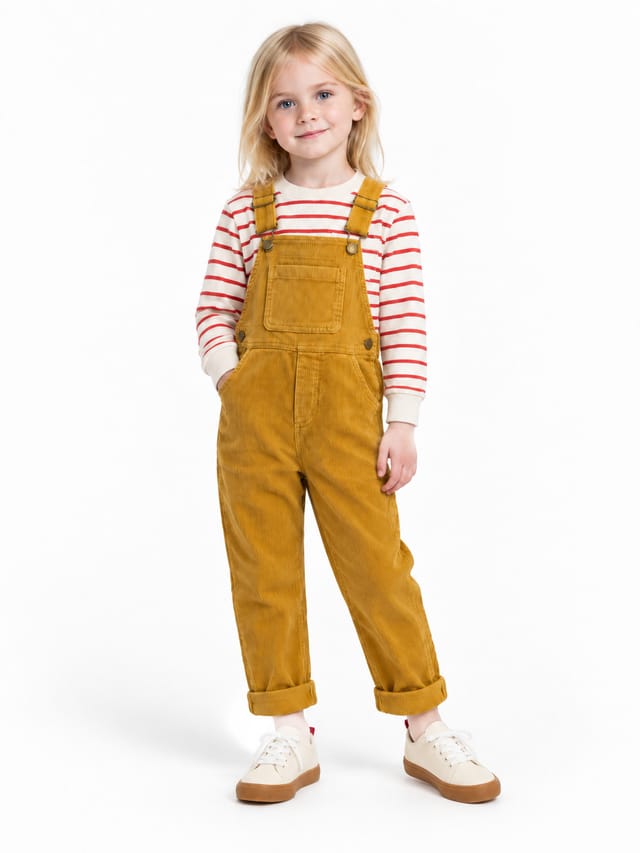
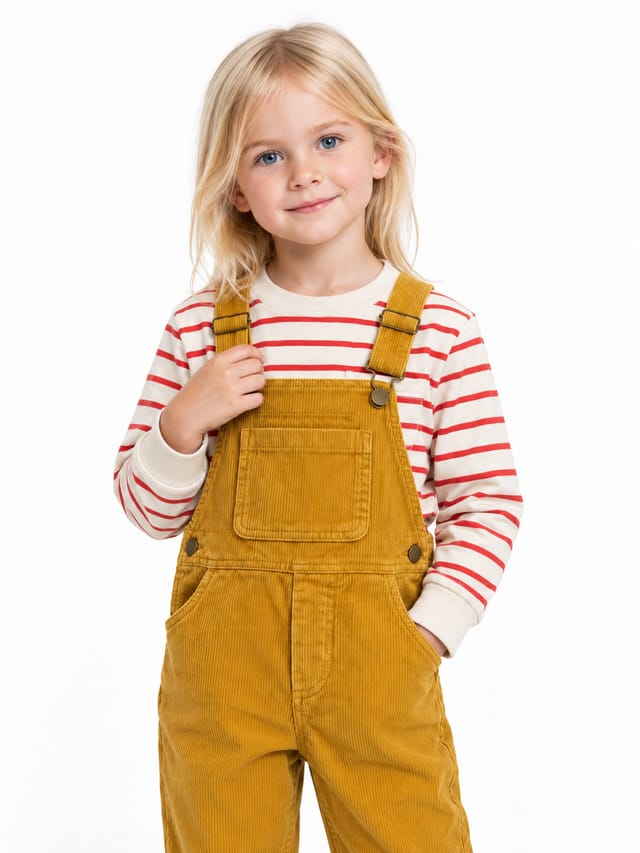
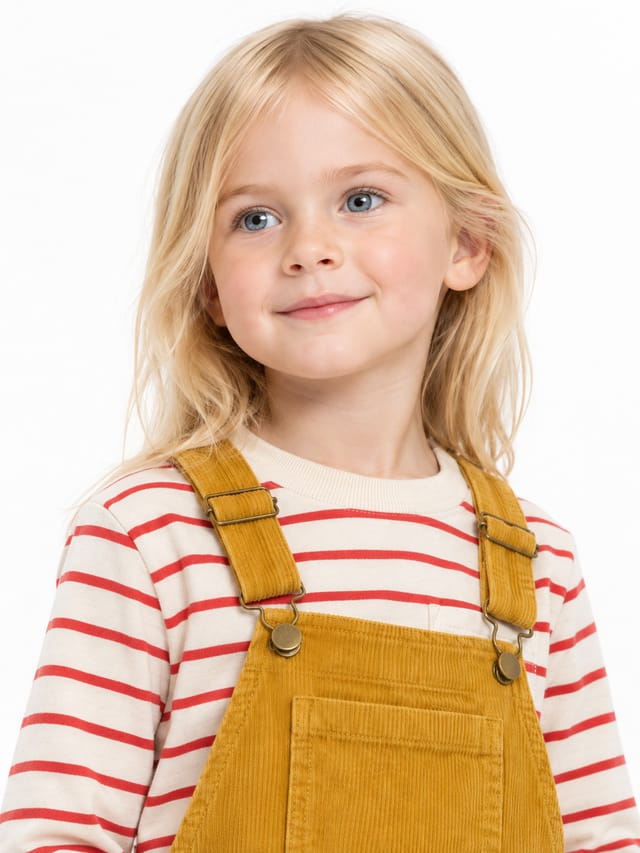
Kids Fashion Studio is a ready-made Nodaro workflow in product imagery. Three clothing photos in, a kidswear shoot out: a child from tiles in the whole outfit on white, four catalogue shots (full body, three-quarter, close-up, jump), and the same outfit on a second child with the same four shots. No photo of a real child needed.
| Category | Product imagery |
| Makes | images |
| Models | GPT Image 2 |
| Nodes | 18 |
| Estimated cost of one run | About 152 credits, the price of its models when the template was saved |
| Level | Advanced |
Open Kids Fashion Studio in Nodaro
How it works
Three clothing photos become a kidswear shoot: a child from tiles wearing the whole outfit on white, four catalogue shots — and the same outfit on a second child. No child's photo needed, no studio, no photographer.
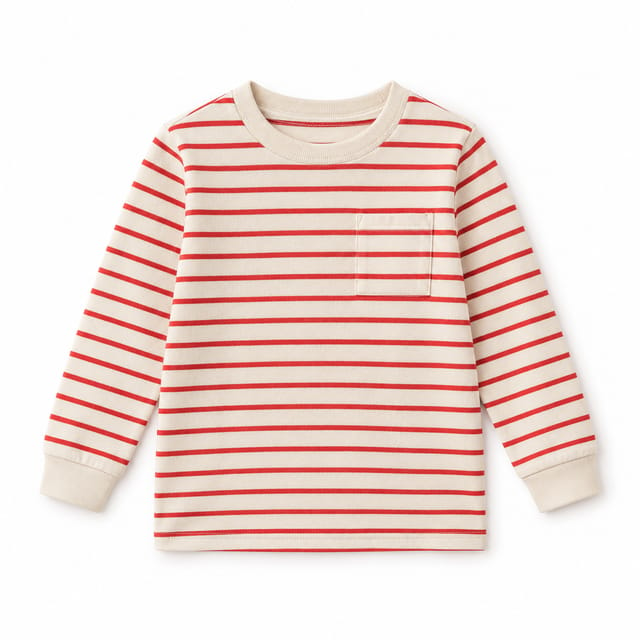
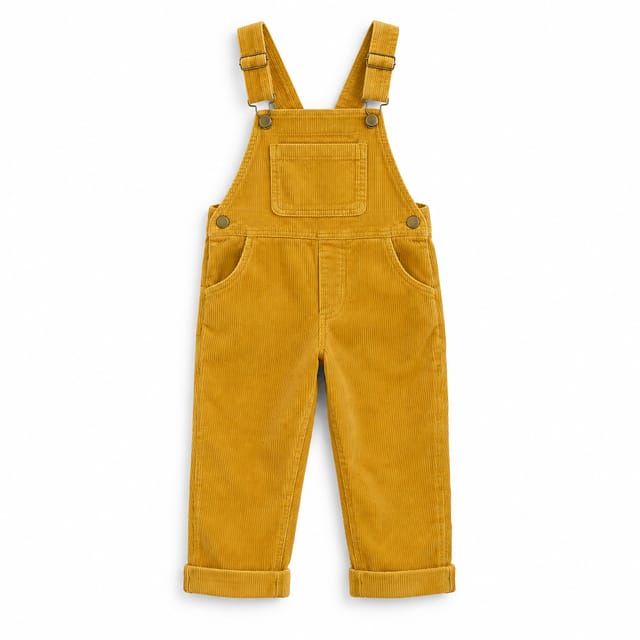
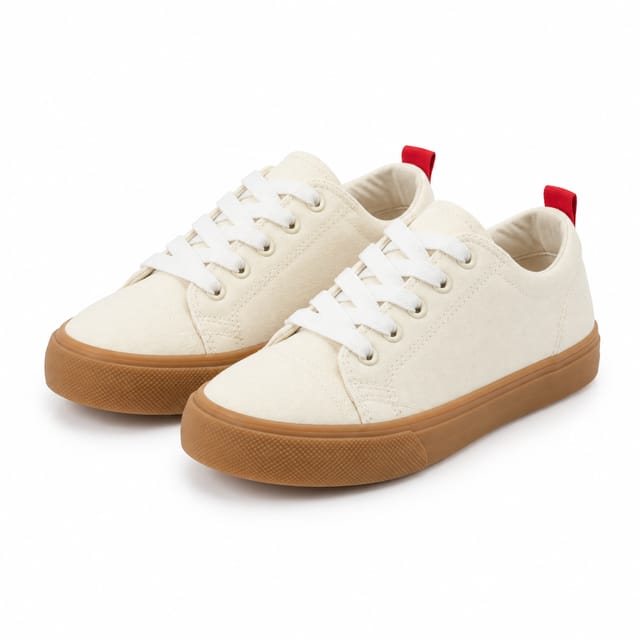
- Clothing photos — the top, the bottom, the shoes, each on a plain background. They never change.
- The kid — pick the child from tiles: age, hair, skin, eyes. No photo of a real child.
- Styling notes + Light — how the clothes are worn, and the studio light from tiles.
- Outfit notes + Kid card — an AI writes the three garments down once; one full-body photo on white anchors every shot.
- Four shots — full body, three-quarter, close-up, jump. Same child, same clothes, same white studio.
- Kid 2 — a second child from tiles in exactly the same outfit, the same four shots. The clothes are the product; the child is a choice.
Step by step
Step 1
Up to three photos — top, bottom, shoes — each a packshot or flat lay on a plain background. Every image node gets all three as references, so colours, stripes, buttons and soles stay exactly as they are. Fewer pieces? Delete a node.
Step 3
How the clothes are worn: tucked or loose, straps up, sleeves pushed, socks or none. Plain words. The kid card follows them and the shots inherit them from the card.
Step 4
Studio light from tiles. High-key three-quarter light is the kidswear catalogue standard: bright, soft, the white stays white.
Step 5
An AI looks at the three photos and writes the outfit down in one precise paragraph: each piece, its colour, fabric and details. Every kid card and every shot quotes it, so the stripes, the straps and the soles never drift.
Step 6
Read this row left to right. The kid: pick the child from tiles — age, hair, skin, eyes — no photo of a real child needed, none stored. Kid card: one full-body photo of that child in all three pieces on white, the face and the clothes every shot is measured against. Then four shots, each with the card and the three clothing photos as references and its own fixed framing: full body, three-quarter, a close-up from slightly below, a jump. Kids move — the jump sells the clothes better than a pose.
Step 7
The same row again with a second child from tiles — another age, another look: its own kid card in exactly the same clothes, then the same four shots. This is what a kidswear shop needs: the outfit is fixed, the child changes. Add a Kid 3 the same way, or swap the tiles here and rerun this row alone.
What it made
Results that the template made in Nodaro: 12 of 13. Your results follow your own inputs.
Nodes in this template
The template is a workflow of 18 nodes. Each node below links to its page:
- Generate Image: 10
- Upload Image: 3
- Person: 2
- Lighting: 1
- Prompt: 1
- Text: 1
Use this template
- Open the template in Nodaro and click Clone & customize. Nodaro copies it into My Workflows.
- Replace the inputs with your own: Top, Bottom and Shoes.
- Click Run. The editor shows the price before anything runs.
Templates lists every template, and Choosing a model helps when you swap a model.
Frequently asked questions
What does the Kids Fashion Studio template make?
Three clothing photos in, a kidswear shoot out: a child from tiles in the whole outfit on white, four catalogue shots (full body, three-quarter, close-up, jump), and the same outfit on a second child with the same four shots. No photo of a real child needed.
How much does one run of Kids Fashion Studio cost?
About 152 credits, the price of its models when the template was saved. The editor shows the current price before you run it, and you pay only for the nodes that run.
Which models does Kids Fashion Studio use?
GPT Image 2. You can switch any of them on the canvas after you clone the template.
Do I need to build a workflow to use Kids Fashion Studio?
No. Clone the template, replace its inputs with your own and click Run. The workflow is already built and connected.
Related
Product imagery templates
2000s Fashion Studio
Beauty Bundle Studio
Camera Angle Studio
Cosmetics UGC Studio
Last updated on
Jewelry Studio
One ring photo in, a jewellery shop's whole page out: three catalogue stills, a looping 360° spin, and a bride wearing it — a hand-with-bouquet still and a…
Model Creator Studio
Two models built from tiles alone — every Person and Styling dimension set — each as an identity sheet: a full-body card on grey plus a three-quarter, a…