
 Nodaro Docs
Winning Ad Variations Studio
Your best-performing ad, your packshot and a few notes in; three fresh variations out — a new hook, a new world, a new angle — each changing exactly one…
Winning Ad Variations Studio is a ready-made Nodaro workflow in static ads. Your best-performing ad, your packshot and a few notes in; three fresh variations out — a new hook, a new world, a new angle — each changing exactly one thing, so the campaign keeps working while the creative stops fatiguing, with the product exactly as photographed.
| Category | Static ads |
| Makes | images |
| Models | GPT Image 2 |
| Nodes | 10 |
| Estimated cost of one run | About 53 credits, the price of its models when the template was saved |
| Level | Advanced |
Open Winning Ad Variations Studio in Nodaro
How it works
Winning Ad Variations Studio
Your best-performing ad, your packshot and a few notes become three fresh variations — each changing exactly one thing — so the campaign keeps working while the creative stops fatiguing. The product stays exactly as photographed.
- Winning ad — the one that performs. It is read for what makes it win.
- Packshot + Notes — your product exactly as it is; what must stay, what may change, hooks or worlds to try, the facts you can stand behind.
- Ad anatomy — an AI analyst writes the headline, the hook, the world, the product placement, the layout and what every variation must keep.
- Three levers — New hook (same world, new headline), New world (same headline, new scene), New angle (same world, new message) — one writer each. Edit a brief by hand and rerun its variation.
- Three variations — square, faithful to the winner's core, the words exactly as written.
Step by step
Step 1
The ad that performs. The analyst reads what makes it win — hook, world, product placement, layout — and every variation keeps that core.
Step 2
A clean photo of the product on a plain background, so every variation carries it exactly as it is.
Step 2
What must stay, what may change, a hook or two you would try, a world you would try, an offer or angle, and the facts you can stand behind. Nothing outside these notes gets invented.
Step 3
Five lines on why the ad wins: the hook, the world, the product, the layout, and what to keep. Edit the Keep line to protect more or less of the original.
Step 4
Each writer changes exactly one thing: New hook keeps the picture and rewrites the words; New world keeps the words and moves the scene; New angle keeps the world and changes the message. Edit a brief by hand and rerun its variation.
Step 5
Square, faithful to the winner's core, the product exactly as photographed, the copy exactly as written. Rerun one alone for another take.
What it made
Results that the template made in Nodaro. Your results follow your own inputs.
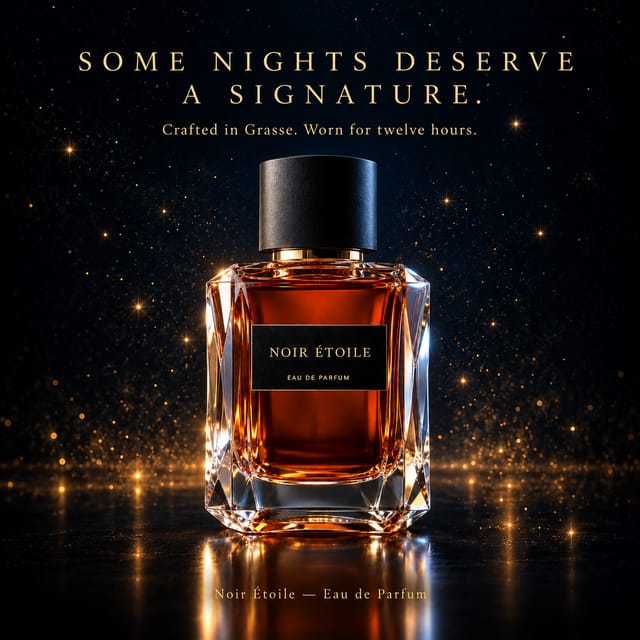
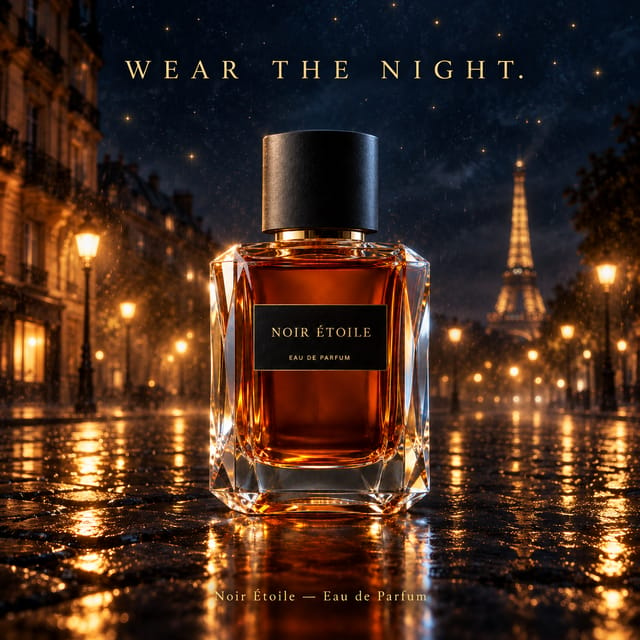
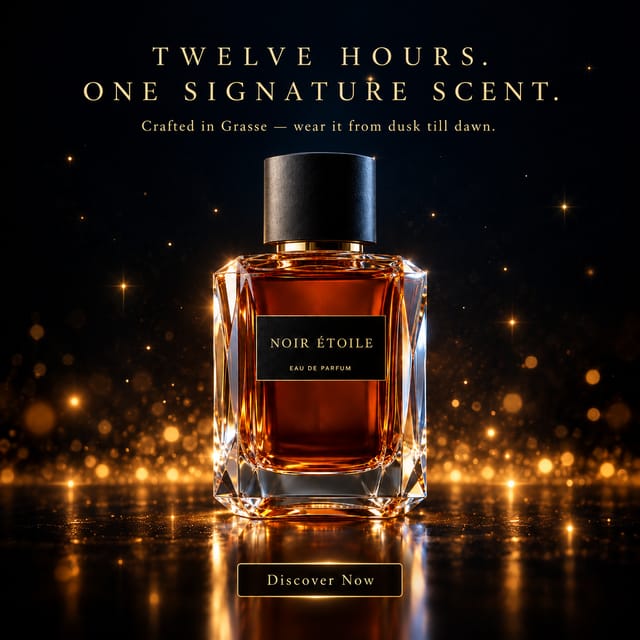
Nodes in this template
The template is a workflow of 10 nodes. Each node below links to its page:
- Prompt: 4
- Generate Image: 3
- Upload Image: 2
- Text: 1
Use this template
- Open the template in Nodaro and click Clone & customize. Nodaro copies it into My Workflows.
- Replace the inputs with your own: Winning ad and Packshot.
- Click Run. The editor shows the price before anything runs.
Templates lists every template, and Choosing a model helps when you swap a model.
Frequently asked questions
What does the Winning Ad Variations Studio template make?
Your best-performing ad, your packshot and a few notes in; three fresh variations out — a new hook, a new world, a new angle — each changing exactly one thing, so the campaign keeps working while the creative stops fatiguing, with the product exactly as photographed.
How much does one run of Winning Ad Variations Studio cost?
About 53 credits, the price of its models when the template was saved. The editor shows the current price before you run it, and you pay only for the nodes that run.
Which models does Winning Ad Variations Studio use?
GPT Image 2. You can switch any of them on the canvas after you clone the template.
Do I need to build a workflow to use Winning Ad Variations Studio?
No. Clone the template, replace its inputs with your own and click Run. The workflow is already built and connected.
Related
Static ad templates
Ad A/B Studio
Ad Funnel Studio
Ad Localizer Studio
Ad Motion Studio
Last updated on
Timeline Ad Studio
A product photo and its benefits in, three timeline ads out — the direct-response format that shows results building over time (Day 1, Week 4, Month 3) — each…
Video ad templates
Templates that make video ads from a product or a script: commercials, explainers, testimonials, interviews and storyboards.