
 Nodaro Docs
Food & Drink Ad Studio
A photo of your dish or drink, brand notes, a brief and a moodboard in; two feed ads and two stories out — one built on craving, one built on the moment —…
Food & Drink Ad Studio is a ready-made Nodaro workflow in static ads. A photo of your dish or drink, brand notes, a brief and a moodboard in; two feed ads and two stories out — one built on craving, one built on the moment — with the product exactly as photographed and the copy exactly as written.
| Category | Static ads |
| Makes | images |
| Models | GPT Image 2 |
| Nodes | 10 |
| Estimated cost of one run | About 64 credits, the price of its models when the template was saved |
| Level | Advanced |
Open Food & Drink Ad Studio in Nodaro
How it works
Food & Drink Ad Studio
A photo of your dish or drink, your brand notes, a brief and a moodboard become two feed ads and two stories — one built on craving, one built on the moment — with the product exactly as photographed and the copy exactly as written.
- Product photo — the dish or the drink on a plain background.
- Brand notes + Creative brief — who you are and what is true; what this ad should do.
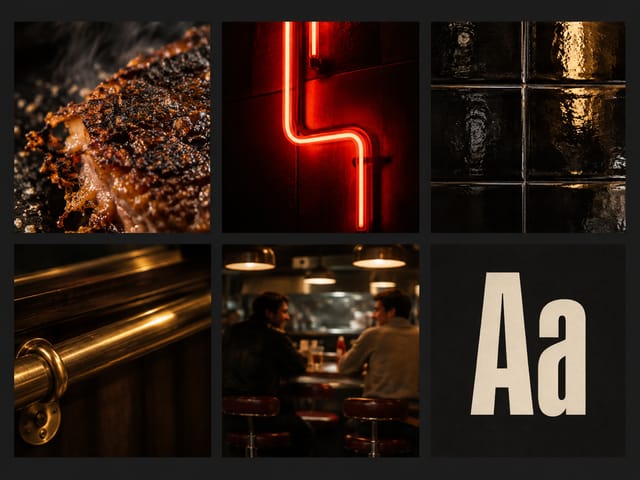
- Moodboard — optional. An inspiration ad or a picture of your brand world; both directors follow its look.
- Two directors — Appetite (macro, texture, craving) and Occasion (people, place, moment) — each writes a headline, a small line and the look. Edit a brief by hand and rerun its ad.
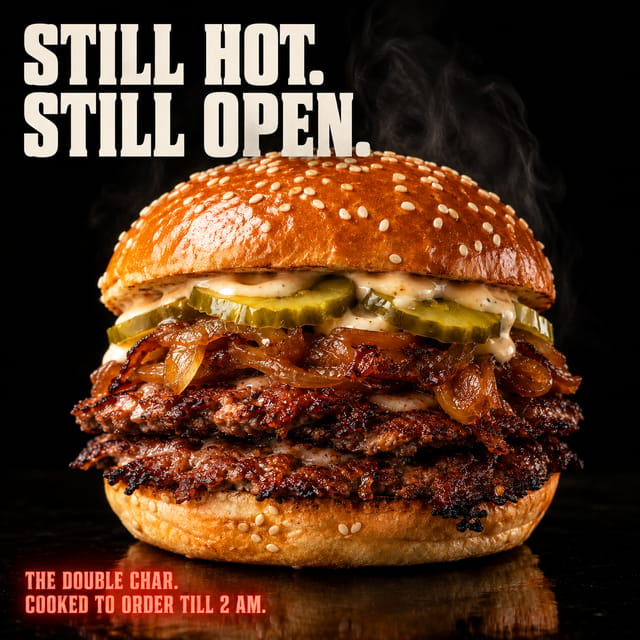
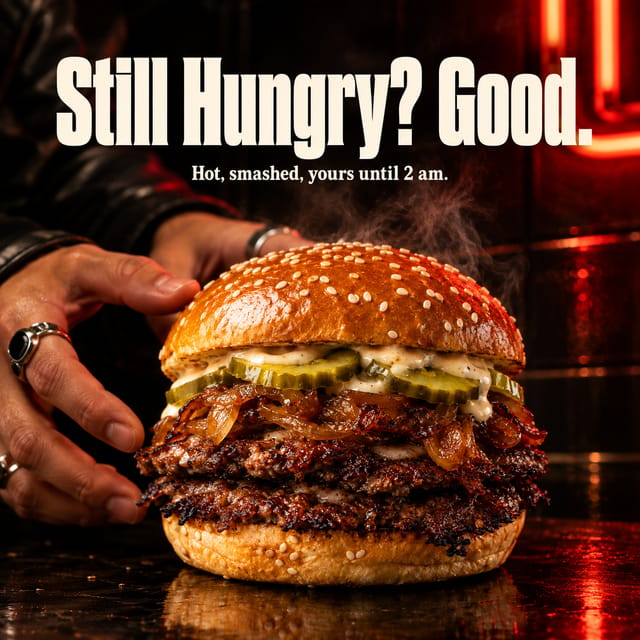
- Two feed ads — square, the words exactly as written.
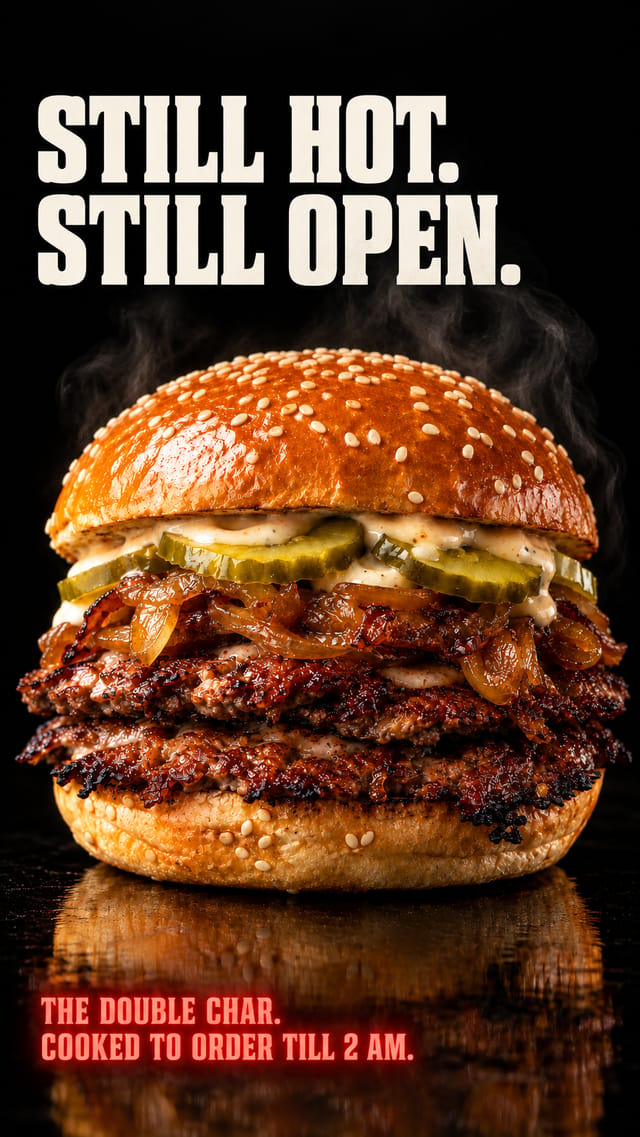
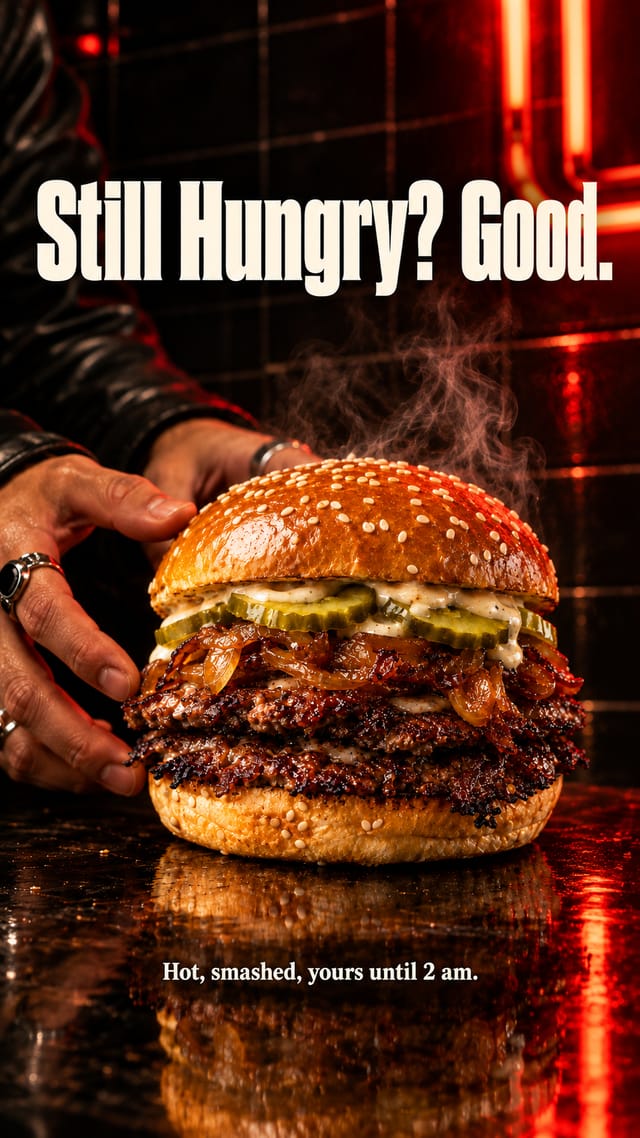
- Two stories — each ad re-framed as a 9:16 story, the scene extended, the copy kept clear of the phone's interface.
Step by step
Step 1
The dish or the drink on a plain background, lit well. Every image gets it as a reference, so the ingredients, the textures and the colours come through unchanged.
Step 2
The brand name, what the product is and what is in it, where and when it is served, the tone. Only what is here gets used — no invented ingredients, prices or claims.
Step 2
What this ad should do and for whom, and anything the ads must say or avoid. One line for both directors.
Step 3
Optional. An inspiration ad or a picture of your brand world. Both directors read the look from it. Delete the node if the notes say it all.
Step 4
Appetite goes close: texture, steam, drips, char — pure craving. Occasion goes wide: the people, the place, the moment the product belongs to. Each writes a headline, a small line and the look in a fixed shape. Edit a brief by hand and rerun its ad and story.
Step 5
Square, the product exactly as photographed, the copy exactly as written. Rerun one alone for another take on the same brief.
Step 6
Each feed ad re-framed for a phone: the scene extended above and below, the same copy, kept clear of the top and bottom edges. Rerun after changing its feed ad.
What it made
Results that the template made in Nodaro. Your results follow your own inputs.
Nodes in this template
The template is a workflow of 10 nodes. Each node below links to its page:
- Generate Image: 4
- Prompt: 2
- Text: 2
- Upload Image: 2
Use this template
- Open the template in Nodaro and click Clone & customize. Nodaro copies it into My Workflows.
- Replace the inputs with your own: Product photo and Moodboard.
- Click Run. The editor shows the price before anything runs.
Templates lists every template, and Choosing a model helps when you swap a model.
Frequently asked questions
What does the Food & Drink Ad Studio template make?
A photo of your dish or drink, brand notes, a brief and a moodboard in; two feed ads and two stories out — one built on craving, one built on the moment — with the product exactly as photographed and the copy exactly as written.
How much does one run of Food & Drink Ad Studio cost?
About 64 credits, the price of its models when the template was saved. The editor shows the current price before you run it, and you pay only for the nodes that run.
Which models does Food & Drink Ad Studio use?
GPT Image 2. You can switch any of them on the canvas after you clone the template.
Do I need to build a workflow to use Food & Drink Ad Studio?
No. Clone the template, replace its inputs with your own and click Run. The workflow is already built and connected.
Related
Static ad templates
Ad A/B Studio
Ad Funnel Studio
Ad Localizer Studio
Ad Motion Studio
Last updated on
Eyewear Campaign Studio
One packshot of your frames in, four campaign ads out — a portrait, a product hero, a lifestyle moment and a typographic poster — coherent as one campaign,…
Meta Ads Studio
A product photo, brand notes and a campaign brief in; five square feed ads out — bold claim, us vs them, testimonial, features, offer — one look, one…