
 Nodaro Docs
Meta Ads Studio
A product photo, brand notes and a campaign brief in; five square feed ads out — bold claim, us vs them, testimonial, features, offer — one look, one…
Meta Ads Studio is a ready-made Nodaro workflow in static ads. A product photo, brand notes and a campaign brief in; five square feed ads out — bold claim, us vs them, testimonial, features, offer — one look, one campaign, with the product exactly as photographed; the bold-claim ad also comes out as a 4-second text-pop clip.
| Category | Static ads |
| Makes | images and video |
| Models | GPT Image 2, seedance |
| Nodes | 18 |
| Estimated cost of one run | About 146 credits, the price of its models when the template was saved |
| Level | Advanced |
Open Meta Ads Studio in Nodaro
How it works
Meta Ads Studio
A product photo, your brand notes and a campaign brief become five feed ads — one per format that performs on paid social — in one look, plus the bold-claim ad as a 4-second text-pop clip. The product stays exactly as photographed; every word comes from your notes.
- Product photo — a clean packshot. The hero of every ad.
- Brand notes + Campaign brief — what is true about the product; who you are reaching and what they should do.
- Campaign strategy — an AI strategist writes the audience, the insight, the promise, the look, and one line per format.
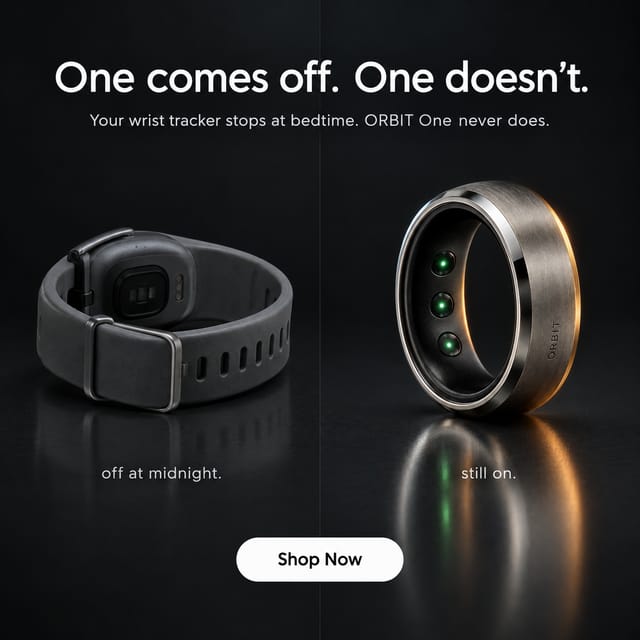
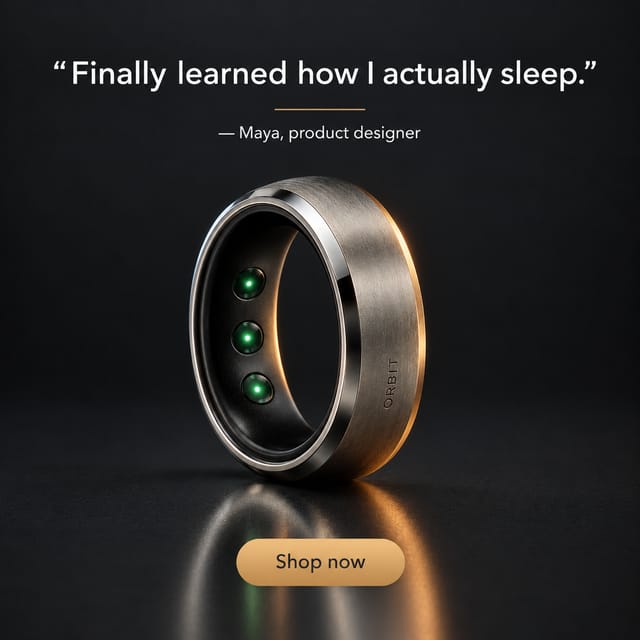
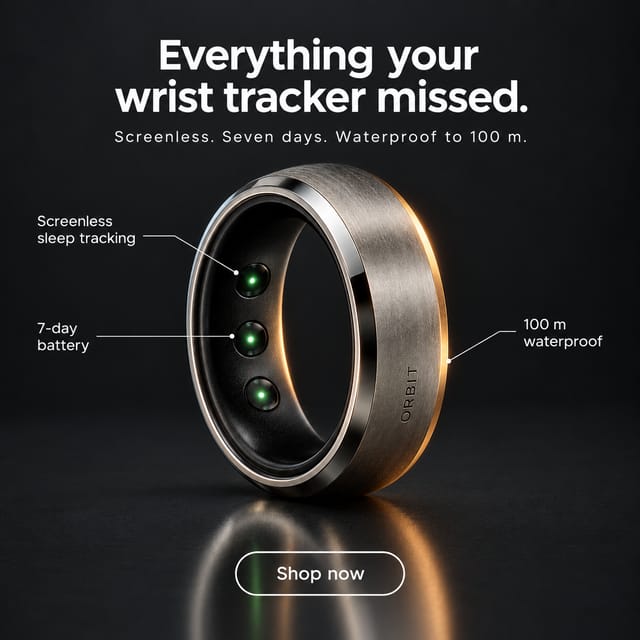
- Five formats — bold claim, us vs them, testimonial, features, offer — one writer each, each feeding its own ad. Edit a brief by hand and rerun just its ad.
- Five ads — square, one look, the words exactly as written.
- The claim in motion — the bold-claim ad becomes a 4-second clip: empty background, then the product and the words pop into place.
Step by step
Step 1
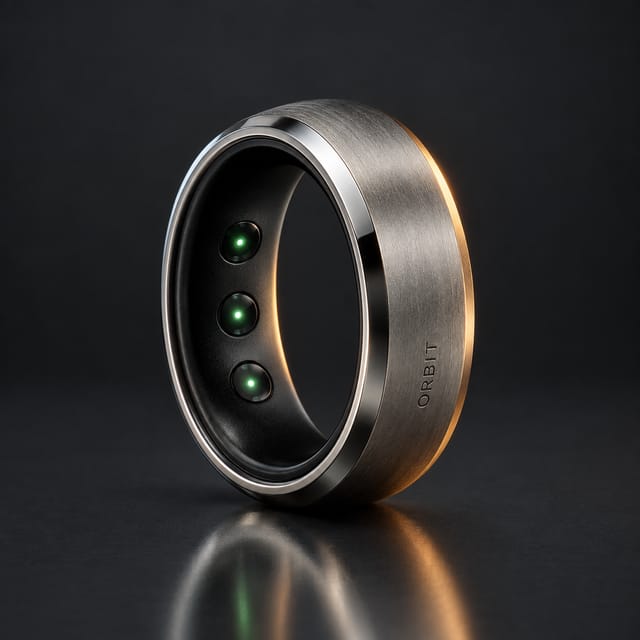
A clean packshot on a plain background. Every ad gets it as a reference, so the shape, the materials, the markings and the colours come through unchanged.
Step 2
The brand name, what the product is, three benefits, what the customer uses today, a real quote if you have one, a trust fact. Only what is here gets used — nothing is invented.
Step 2
Who exactly you are reaching and the moment they are in, what you want them to do, the offer if there is one, and the tone. The strategist builds the campaign on this.
Step 3
One plan for the five ads: audience, insight, promise, tone, the look every ad follows, and one line per format — claim, versus, testimonial, features, offer. Edit a line by hand and rerun the ads that quote it.
Step 4
One writer per format, each holding its role: bold claim, us vs them (the alternative shown generically, never a named brand), testimonial (a first name and a role, never a real person), features, offer. Each writes a headline, a small line, a button and the look. Read a brief, edit it, rerun just its ad.
Step 5
Square feed ads in one look, the product exactly as photographed, the copy exactly as written. Rerun one ad alone for a new take on the same brief.
Step 6
The bold-claim ad becomes a clip: an AI lists everything on the ad; the same ad is recreated with every element removed — the empty first frame; a motion director writes what pops in when; and Seedance builds the ad from the empty background to the finished frame in 4 seconds, pinned to both. Rerun the four nodes after changing the claim ad. Want another format in motion? Wire that ad into Ad Motion Studio.
What it made
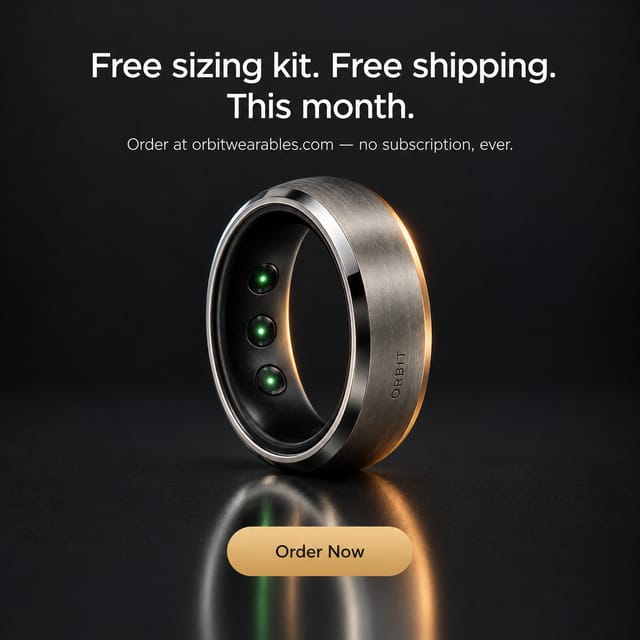
Results that the template made in Nodaro. Your results follow your own inputs.

Nodes in this template
The template is a workflow of 18 nodes. Each node below links to its page:
- Prompt: 8
- Generate Image: 6
- Text: 2
- Generate Video: 1
- Upload Image: 1
Use this template
- Open the template in Nodaro and click Clone & customize. Nodaro copies it into My Workflows.
- Replace the inputs with your own: Product photo.
- Click Run. The editor shows the price before anything runs.
Templates lists every template, and Choosing a model helps when you swap a model.
Frequently asked questions
What does the Meta Ads Studio template make?
A product photo, brand notes and a campaign brief in; five square feed ads out — bold claim, us vs them, testimonial, features, offer — one look, one campaign, with the product exactly as photographed; the bold-claim ad also comes out as a 4-second text-pop clip.
How much does one run of Meta Ads Studio cost?
About 146 credits, the price of its models when the template was saved. The editor shows the current price before you run it, and you pay only for the nodes that run.
Which models does Meta Ads Studio use?
GPT Image 2 and seedance. You can switch any of them on the canvas after you clone the template.
Do I need to build a workflow to use Meta Ads Studio?
No. Clone the template, replace its inputs with your own and click Run. The workflow is already built and connected.
Related
Static ad templates
Ad A/B Studio
Ad Funnel Studio
Ad Localizer Studio
Ad Motion Studio
Last updated on
Food & Drink Ad Studio
A photo of your dish or drink, brand notes, a brief and a moodboard in; two feed ads and two stories out — one built on craving, one built on the moment —…
Product Ad Set Studio
A product photo, brand notes and a short brief in; three ads on three angles out — hero, benefit, scene — each as a 9:16 story and a 1:1 feed post, six…