
 Nodaro Docs
Fashion Film Studio
One model, one gown, two productions: each scene is a sentence you rewrite — it becomes an opening still, and the still becomes an 8-second slow-motion…
Fashion Film Studio is a ready-made Nodaro workflow in product imagery. One model, one gown, two productions: each scene is a sentence you rewrite — it becomes an opening still, and the still becomes an 8-second slow-motion fashion film. Same woman, same gown, two worlds.
| Category | Product imagery |
| Makes | video and images |
| Models | GPT Image 2, seedance |
| Nodes | 10 |
| Estimated cost of one run | About 172 credits, the price of its models when the template was saved |
| Level | Intermediate |
Open Fashion Film Studio in Nodaro
How it works
One model, one gown, two productions. Each scene is one sentence you can rewrite: it becomes an opening still, and the still becomes an 8-second slow-motion fashion film. Same woman, same gown, two worlds — the sentence is the director.
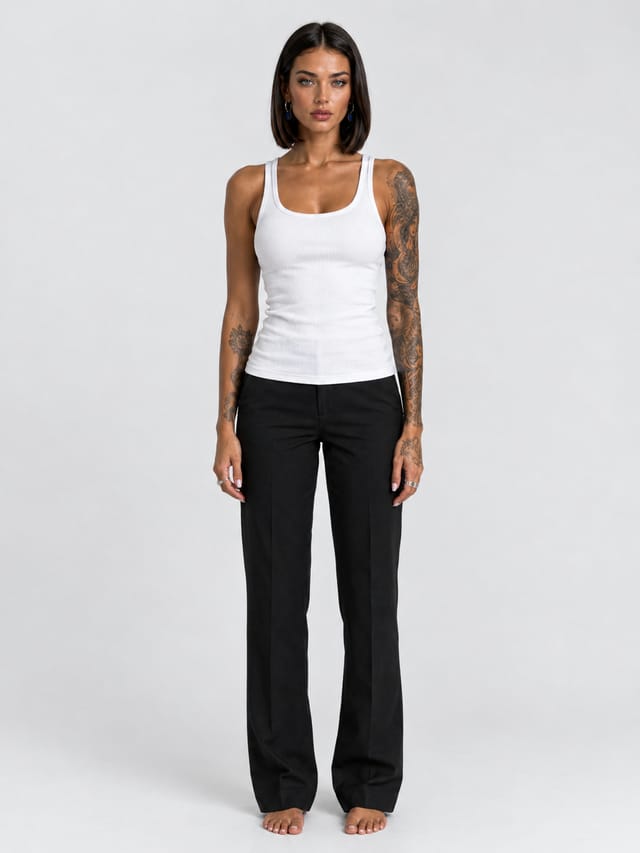
- Model photo + Model notes — the person in plain basics, and a written description that locks her face, hair, tattoos and rings.
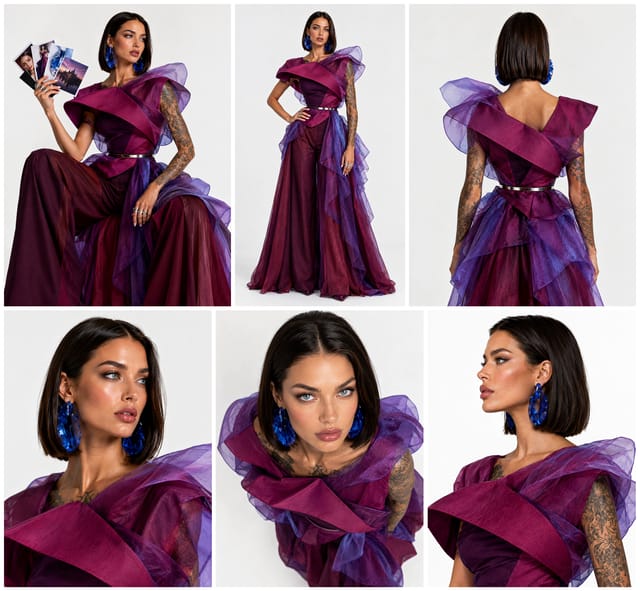
- Garment photo — the gown. An AI writes it down once so it never drifts between scenes.
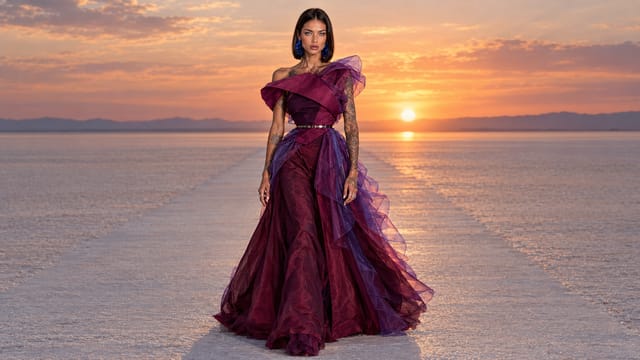
- Scene 1 — a runway on a salt flat at sunset: brief → opening still → film.
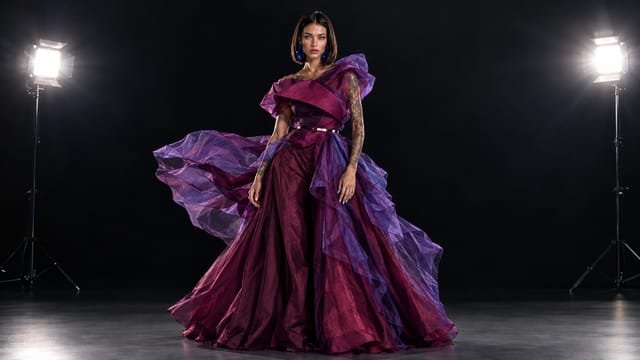
- Scene 2 — a black studio with a wind machine and strobes: the same three steps.
- Rewrite a brief and rerun its row; add a third row for a third scene.
Step by step
Step 1
The photo shows the person in plain basics on grey, so the template can dress her. The notes describe her in words — eyes, bob, skin, tattoos, rings, earrings — and every still quotes them next to the photo, so the face never drifts. Swap the photo and rewrite the notes for another person.
Step 2
The gown as it was shot — a lookbook page works, a packshot works. Every still gets it as a reference and puts her in it: the same cut, the same colour, the same fabric.
Step 3
An AI looks at the gown once and writes it down in one precise paragraph — bodice, ruffle, colour, fabric, skirt. The stills and the films quote it, so both scenes shoot the same gown.
Steps 4–5
Each row is one production: the brief in your words → the opening still, the frame before anything moves → the film that starts from that still. Row 1 is a runway on a salt flat at sunset; row 2 is a black studio with a wind machine and strobes. Same woman, same gown, two worlds — rewrite a brief and rerun its row.
What it made
Results that the template made in Nodaro. Your results follow your own inputs.
Nodes in this template
The template is a workflow of 10 nodes. Each node below links to its page:
- Text: 3
- Generate Image: 2
- Generate Video: 2
- Upload Image: 2
- Prompt: 1
Use this template
- Open the template in Nodaro and click Clone & customize. Nodaro copies it into My Workflows.
- Replace the inputs with your own: Model photo and Garment photo.
- Click Run. The editor shows the price before anything runs.
Templates lists every template, and Choosing a model helps when you swap a model.
Frequently asked questions
What does the Fashion Film Studio template make?
One model, one gown, two productions: each scene is a sentence you rewrite — it becomes an opening still, and the still becomes an 8-second slow-motion fashion film. Same woman, same gown, two worlds.
How much does one run of Fashion Film Studio cost?
About 172 credits, the price of its models when the template was saved. The editor shows the current price before you run it, and you pay only for the nodes that run.
Which models does Fashion Film Studio use?
GPT Image 2 and seedance. You can switch any of them on the canvas after you clone the template.
Do I need to build a workflow to use Fashion Film Studio?
No. Clone the template, replace its inputs with your own and click Run. The workflow is already built and connected.
Related
Product imagery templates
2000s Fashion Studio
Beauty Bundle Studio
Camera Angle Studio
Cosmetics UGC Studio
Last updated on
Editorial Shoot Studio
One clothing photo in, an outdoor editorial out: a model card on white and four location shots (portrait, walking, wide, detail) of the same model in the same…
Fashion Photographer Studio
One model, one gown, one pair of earrings, one street — shot by six famous photographers from tiles: Newton, Lindbergh, Leibovitz, Testino, Roversi, von…