
 Nodaro Docs
Furniture Studio
One packshot of a table in, a furniture brand's whole page out: the piece in three rooms at true scale, the same room from three camera positions, and the…
Furniture Studio is a ready-made Nodaro workflow in product imagery. One packshot of a table in, a furniture brand's whole page out: the piece in three rooms at true scale, the same room from three camera positions, and the identical shape in other materials.
| Category | Product imagery |
| Makes | images |
| Models | GPT Image 2 |
| Nodes | 12 |
| Estimated cost of one run | About 122 credits, the price of its models when the template was saved |
| Level | Advanced |
Open Furniture Studio in Nodaro
How it works
One packshot of a table, and everything a furniture brand shows: the piece in three rooms at true scale, one room from three camera positions, and the same piece in other materials.
- Product photo — the table on white. Every image gets it as the reference; an AI writes it down once.
- Light + Brand style — the light from tiles and one line about the brand's interiors.
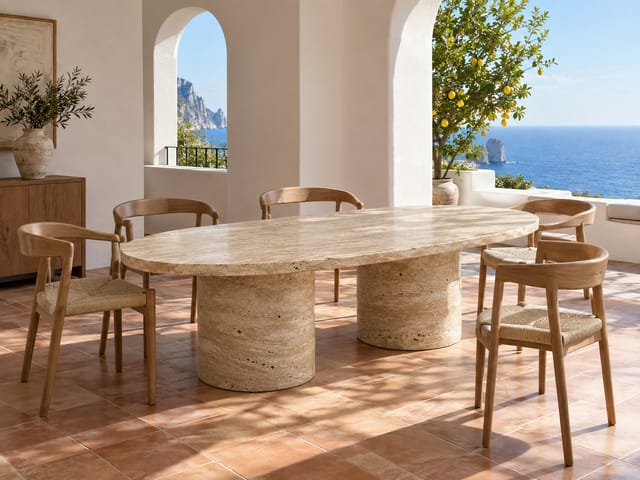
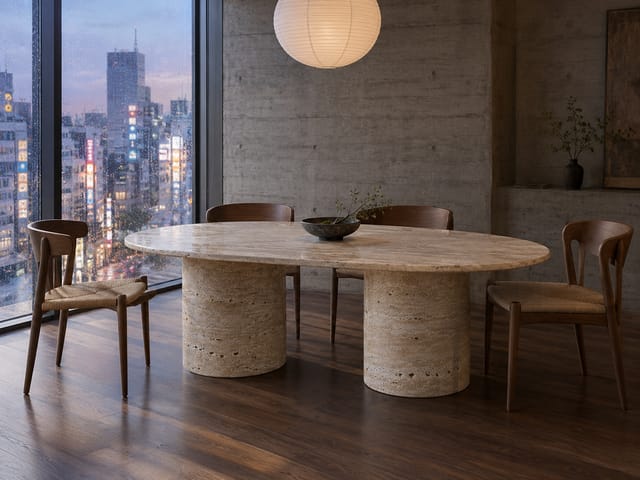
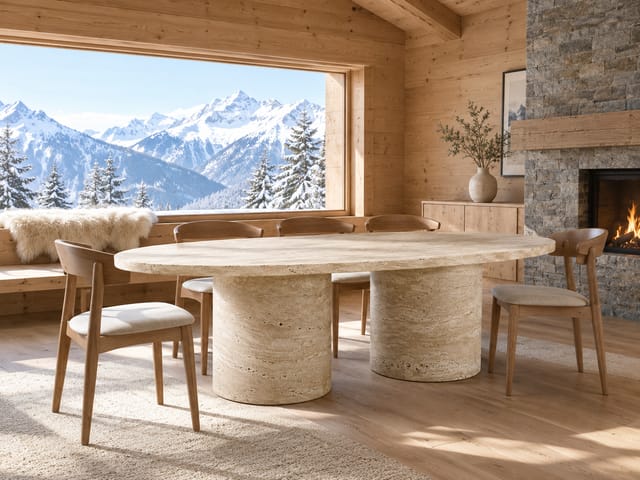
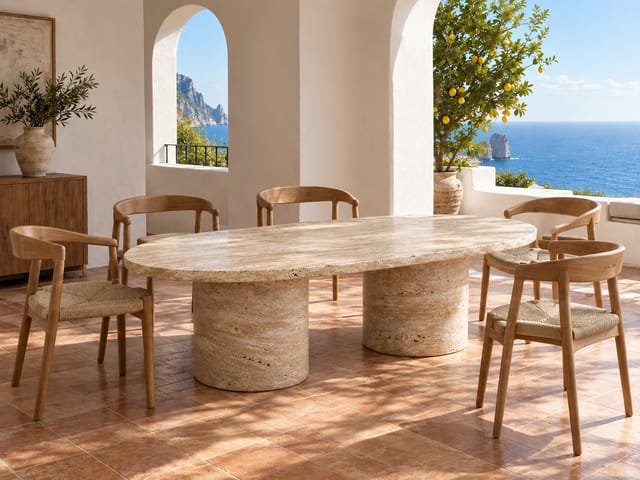
- Row 1, three rooms — Capri villa, Tokyo loft, Alpine chalet. A big product has to sit in a room at the right size and perspective.
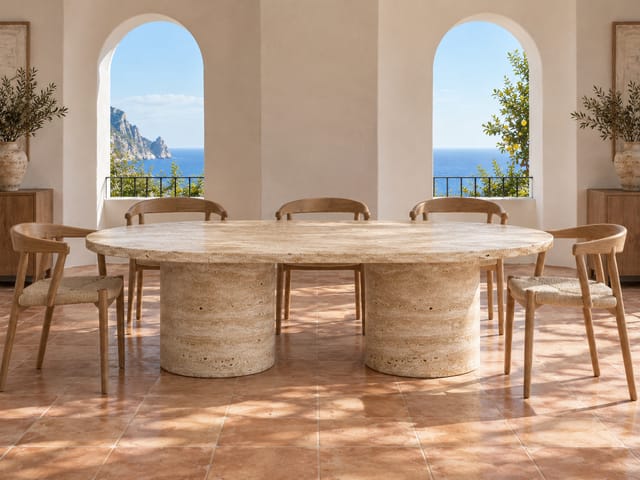
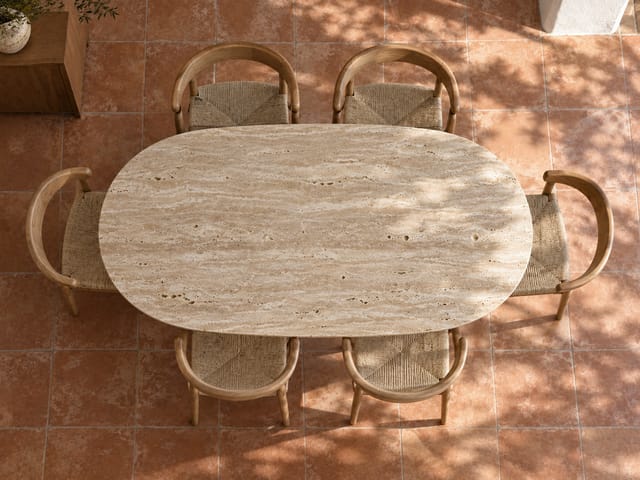
- Row 2, three angles — the Capri room again from the front, three-quarter and above. The room image is the reference, so it stays the same room.
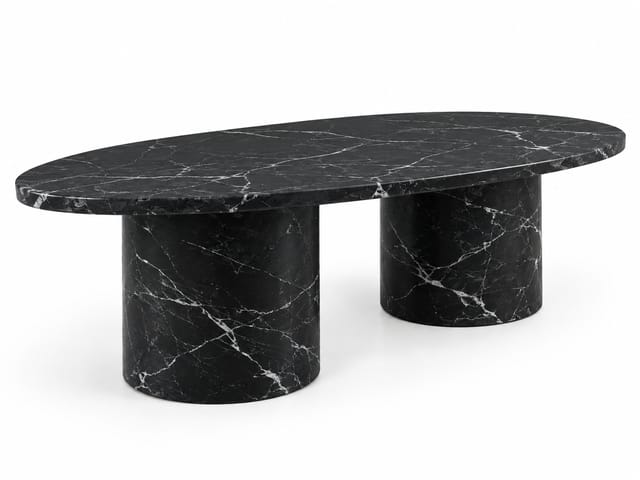
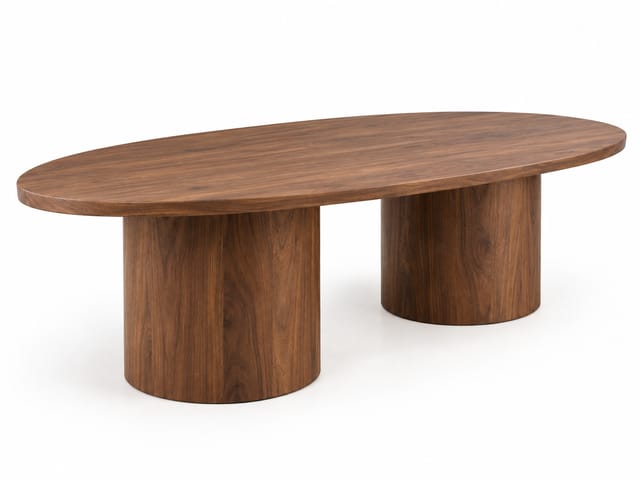
- Row 3, variants — the identical shape in black marble and in walnut. Only the material changes.
- Rewrite a room, an angle or a material in its node and rerun that node alone.
Step by step
Step 1
One packshot of the piece on white, three-quarter view. Every image gets it as the reference, so the shape, the stone and the proportions are yours. Replace it with any piece: a chair, a lamp, a bed.
Step 2
Natural daylight from tiles suits interiors. The brand-style line says how the brand's rooms feel — calm and architectural, warm and rustic, bold and colourful — and every room follows it.
Step 3
An AI looks at the piece once and writes it down in one precise paragraph — top, bases, stone, proportions, real-world size. Every image quotes it next to the photo, so the table stays the same table in every room.
Step 4
The piece placed in three rooms that could not be more different: a villa in Capri, a loft in Tokyo, a chalet in the Alps. Each room is one paragraph in its node. The prompt insists on true scale, correct perspective and floor contact — the hard part with big furniture.
Step 5
The Capri room shot again from three camera positions: straight-on, three-quarter, and top-down. The room image itself is wired in as a reference, so the walls, the terrace and the light stay put — only the camera moves.
Step 6
The identical table in black marble and in walnut, on white. The shape is locked by the photo and the notes; only the material line changes. Add a node per finish you sell.
What it made
Results that the template made in Nodaro. Your results follow your own inputs.
Nodes in this template
The template is a workflow of 12 nodes. Each node below links to its page:
- Generate Image: 8
- Lighting: 1
- Prompt: 1
- Text: 1
- Upload Image: 1
Use this template
- Open the template in Nodaro and click Clone & customize. Nodaro copies it into My Workflows.
- Replace the inputs with your own: Product photo.
- Click Run. The editor shows the price before anything runs.
Templates lists every template, and Choosing a model helps when you swap a model.
Frequently asked questions
What does the Furniture Studio template make?
One packshot of a table in, a furniture brand's whole page out: the piece in three rooms at true scale, the same room from three camera positions, and the identical shape in other materials.
How much does one run of Furniture Studio cost?
About 122 credits, the price of its models when the template was saved. The editor shows the current price before you run it, and you pay only for the nodes that run.
Which models does Furniture Studio use?
GPT Image 2. You can switch any of them on the canvas after you clone the template.
Do I need to build a workflow to use Furniture Studio?
No. Clone the template, replace its inputs with your own and click Run. The workflow is already built and connected.
Related
Product imagery templates
2000s Fashion Studio
Beauty Bundle Studio
Camera Angle Studio
Cosmetics UGC Studio
Last updated on
Fashion Photographer Studio
One model, one gown, one pair of earrings, one street — shot by six famous photographers from tiles: Newton, Lindbergh, Leibovitz, Testino, Roversi, von…
Jewelry Studio
One ring photo in, a jewellery shop's whole page out: three catalogue stills, a looping 360° spin, and a bride wearing it — a hand-with-bouquet still and a…