
 Nodaro Docs
Timeline Ad Studio
A product photo and its benefits in, three timeline ads out — the direct-response format that shows results building over time (Day 1, Week 4, Month 3) — each…
Timeline Ad Studio is a ready-made Nodaro workflow in static ads. A product photo and its benefits in, three timeline ads out — the direct-response format that shows results building over time (Day 1, Week 4, Month 3) — each on a different hook, in your brand's look, with the product exactly as photographed.
| Category | Static ads |
| Makes | images |
| Models | GPT Image 2 |
| Nodes | 11 |
| Estimated cost of one run | About 53 credits, the price of its models when the template was saved |
| Level | Advanced |
Open Timeline Ad Studio in Nodaro
How it works
Timeline Ad Studio
A product photo and its benefits become three timeline ads — the direct-response format that shows results building over time — each on a different hook, in your brand's look. The product stays exactly as photographed.
- Product photo — a clean packshot. The hero of every ad.
- Product notes — what it is and what it does over time, in your words. Nothing invented.
- Moodboard + Brand notes — a picture of your brand world (optional) and a line on colours and tone.
- Brand look — an AI turns those into one paragraph every ad follows.
- Three concepts — one writer per hook: a bold promise, a before-and-after, social proof. Each writes a headline, three stages and a small line.
- Three ads — portrait, one per concept. Edit a concept by hand and rerun its ad; copy a pair for a fourth hook.
Step by step
Step 1
A clean packshot on a plain background. Every ad gets it as a reference, so the jar, the lid, the label and the colours come through unchanged.
Step 2
What the product is and what it does over time, in plain words — the benefits you can stand behind, with rough timing if you know it. The writers use only what is here; they never invent numbers or studies.
Step 3
Optional. One picture of your brand world — textures, colours, type, imagery. The brand look is read from it next to your notes. Delete the node if the notes say it all.
Step 4
One line on colours and tone: calm or loud, clinical or warm, which two colours and which accent. If your product's colour fights the palette, say so here.
Step 5
An AI turns the moodboard and the brand notes into one paragraph an image generator understands: dominant colours and the accent, surface finish, typography feel, layout energy, light and mood. All three concepts quote it, so the ads read as one brand.
Step 6
One writer per hook — a bold promise, a before-and-after, social proof. Each writes a headline of up to seven words, three stages with a time marker and a benefit of up to eight words, a small line, and the look. Read the brief, edit it by hand, then rerun just its ad. Copy a writer and an ad for a fourth hook.
Step 7
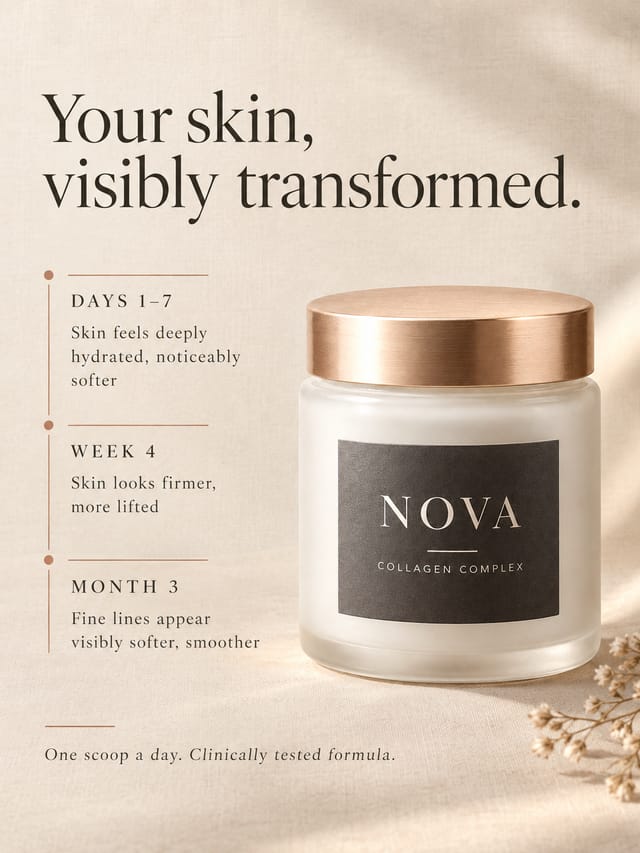
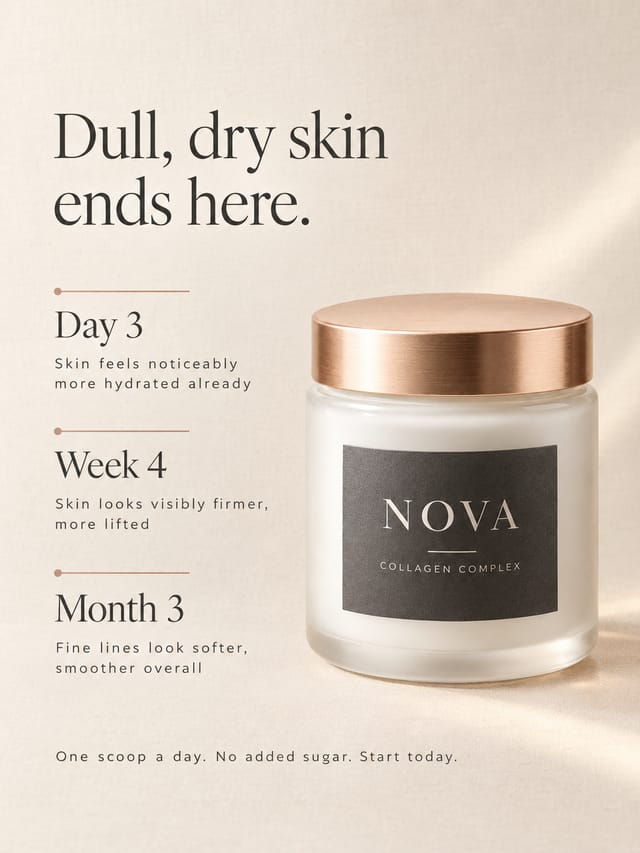
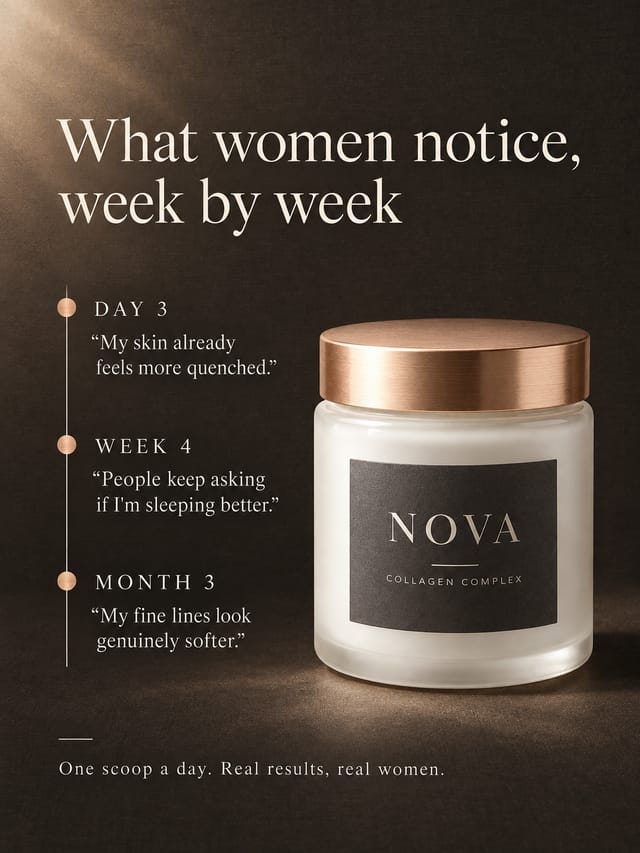
Portrait 3:4 for the feed. Each ad gets the packshot as its reference and its concept as the brief, and renders the headline, the three stages and the small line exactly as written, laid out as a clear timeline next to the product. Rerun one ad alone for a new take on the same brief.
What it made
Results that the template made in Nodaro. Your results follow your own inputs.
Nodes in this template
The template is a workflow of 11 nodes. Each node below links to its page:
- Prompt: 4
- Generate Image: 3
- Text: 2
- Upload Image: 2
Use this template
- Open the template in Nodaro and click Clone & customize. Nodaro copies it into My Workflows.
- Replace the inputs with your own: Product photo and Moodboard.
- Click Run. The editor shows the price before anything runs.
Templates lists every template, and Choosing a model helps when you swap a model.
Frequently asked questions
What does the Timeline Ad Studio template make?
A product photo and its benefits in, three timeline ads out — the direct-response format that shows results building over time (Day 1, Week 4, Month 3) — each on a different hook, in your brand's look, with the product exactly as photographed.
How much does one run of Timeline Ad Studio cost?
About 53 credits, the price of its models when the template was saved. The editor shows the current price before you run it, and you pay only for the nodes that run.
Which models does Timeline Ad Studio use?
GPT Image 2. You can switch any of them on the canvas after you clone the template.
Do I need to build a workflow to use Timeline Ad Studio?
No. Clone the template, replace its inputs with your own and click Run. The workflow is already built and connected.
Related
Static ad templates
Ad A/B Studio
Ad Funnel Studio
Ad Localizer Studio
Ad Motion Studio
Last updated on
Subway FOOH Studio
A product photo, a line on your brand and a city name in; your poster on a metro platform out — then the product bursts out of the lightbox, three metres…
Winning Ad Variations Studio
Your best-performing ad, your packshot and a few notes in; three fresh variations out — a new hook, a new world, a new angle — each changing exactly one…