
 Nodaro Docs
Ad Remix Studio
A photo of an ad you liked in the street in, three finished ads for your brand out — square, story and banner — in that ad's look with your product as the…
Ad Remix Studio is a ready-made Nodaro workflow in static ads. A photo of an ad you liked in the street in, three finished ads for your brand out — square, story and banner — in that ad's look with your product as the hero, each composed for its shape. Its words, brand and product never appear in yours.
| Category | Static ads |
| Makes | images |
| Models | GPT Image 2 |
| Nodes | 8 |
| Estimated cost of one run | About 49 credits, the price of its models when the template was saved |
| Level | Intermediate |
Open Ad Remix Studio in Nodaro
How it works
Ad Remix Studio
A photo of an ad you liked in the street becomes three finished ads for your brand — square, story and banner — in that ad's look, with your product as the hero. Its words, its brand and its product never appear in yours.
- Street ad photo — the poster, billboard or subway ad that caught your eye.
- Product photo — a clean packshot. The hero of every format.
- Brand notes — name, tone of voice, what to say. Colours only if the ad must stay on-brand.
- Ad formula — an AI writes down what to carry over: colour, typography, layout, how the product is shown, the headline's pattern.
- Ad prompt — an AI creative director remixes it for your product: a new headline in the same pattern, a small line, a button, the look.
- Three formats — square, story, banner. Same look, your product, each composed for its shape.
Step by step
Step 1
A photo of any ad that caught your eye: a poster, a billboard, a subway panel. Its look is what you borrow — the colour, the typography, the way the product is shown, the attitude of the headline. The three formats get this photo as their look reference; its words, its brand and its product never appear in yours.
Step 2
A clean packshot on a plain background. It is the one thing that stays exactly as it is: every format gets it as a reference, so the product, its label and its colours come through unchanged.
Step 3
Who you are, in plain words: brand name, tone of voice, the one thing to say. Mention colours only if the ad must stay on-brand — otherwise the look of the street ad carries over. The headline is written in this voice.
Step 4
Ad formula: an AI describes what to carry over from the street ad — background colour and finish, typography, where everything sits, how the product is shown, the headline's pattern and attitude — without its words or its brand. Ad prompt: an AI creative director remixes it for your product and brand: a new headline in the same pattern, a small line, a button and the look. Read both, edit either by hand, then rerun the formats.
Step 5
Each format gets two references — the street ad for the look, your packshot for the product — and the same brief, and adds its own composition line, so the headline, the product and the space around them are arranged for that shape. Rerun one format alone for a new take on it.
What it made
Results that the template made in Nodaro. Your results follow your own inputs.
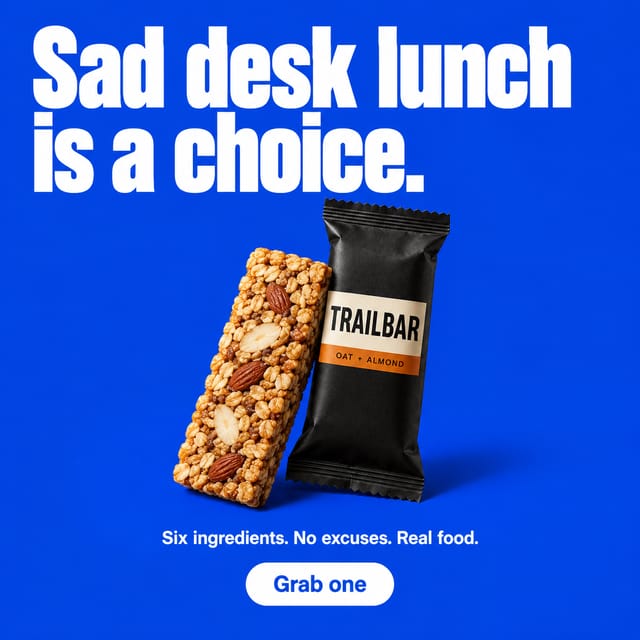
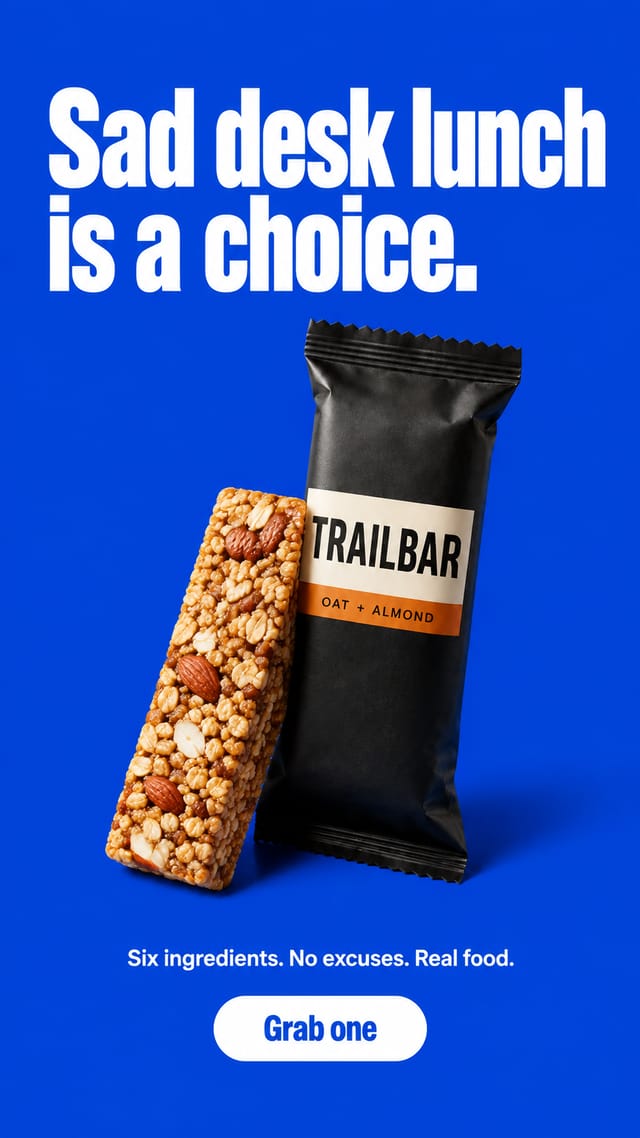
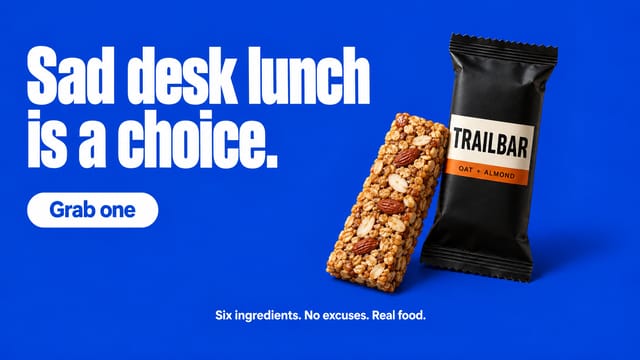
Nodes in this template
The template is a workflow of 8 nodes. Each node below links to its page:
- Generate Image: 3
- Prompt: 2
- Upload Image: 2
- Text: 1
Use this template
- Open the template in Nodaro and click Clone & customize. Nodaro copies it into My Workflows.
- Replace the inputs with your own: Street ad photo and Product photo.
- Click Run. The editor shows the price before anything runs.
Templates lists every template, and Choosing a model helps when you swap a model.
Frequently asked questions
What does the Ad Remix Studio template make?
A photo of an ad you liked in the street in, three finished ads for your brand out — square, story and banner — in that ad's look with your product as the hero, each composed for its shape. Its words, brand and product never appear in yours.
How much does one run of Ad Remix Studio cost?
About 49 credits, the price of its models when the template was saved. The editor shows the current price before you run it, and you pay only for the nodes that run.
Which models does Ad Remix Studio use?
GPT Image 2. You can switch any of them on the canvas after you clone the template.
Do I need to build a workflow to use Ad Remix Studio?
No. Clone the template, replace its inputs with your own and click Run. The workflow is already built and connected.
Related
Static ad templates
Ad A/B Studio
Ad Funnel Studio
Ad Localizer Studio
Ad Motion Studio
Last updated on
Ad Motion Studio
One finished static ad in, three ready-to-post clips out: an entrance video where the ad builds itself piece by piece, the same build played backwards as an…
Amazon Listing Studio
A packshot and your product notes in; the five images a marketplace listing needs out — main image on pure white, lifestyle, features callout, size and box…