
 Nodaro Docs
Product Spin Studio
One product photo in, a seamless 360° spin out: an 8-second square loop that starts and ends on your photo, plus three extra angles pulled from it as stills.
Product Spin Studio is a ready-made Nodaro workflow in product imagery. One product photo in, a seamless 360° spin out: an 8-second square loop that starts and ends on your photo, plus three extra angles pulled from it as stills.
| Category | Product imagery |
| Makes | video and images |
| Models | seedance |
| Nodes | 8 |
| Estimated cost of one run | About 102 credits, the price of its models when the template was saved |
| Level | Intermediate |
Open Product Spin Studio in Nodaro
How it works
One product photo becomes a seamless 360° spin for the product page, plus three extra angles as stills. No turntable, no 3D model.
- Product photo — one clean shot on a plain background. The one thing that never changes.
- Extra notes + Light — what the camera cannot see (the back, the sides) and the studio light.
- Product description — an AI writes the product down once, so the spin keeps every detail.
- Spin — one full turn, 8 seconds, starting and ending on your photo, trimmed to loop cleanly.
- Three stills — frames pulled from the spin at a quarter, half and three-quarter turn.
Step by step
Step 1
One clean photo on a plain background, the product centred with room around it. It is the first AND the last frame of the spin, so the loop closes on the exact shot you uploaded.
Step 2
Tell the spin what the photo cannot show: what is on the back, the sides, the underside. Plain words. Pick the light from tiles; soft even light keeps the white background white.
Step 3
An AI looks at the photo once and describes the product in one precise paragraph: shape, materials, colours, logos. The spin quotes it, so nothing drifts while the product turns.
Step 4
Seedance 1.5 at 1080p, square, 8 seconds, no audio. Your photo is the first and the last frame, and the loop trim cuts the tail on the frame that matches the start. Open the node to change speed, direction or size, then rerun just this node.
Step 5
Frames pulled out of the spin at 2, 4 and 6 seconds: a quarter turn, the back, three-quarter turn. Free extra angles for the product page. If the turn is uneven, move the seconds on a still and rerun it alone.
What it made
Results that the template made in Nodaro. Your results follow your own inputs.
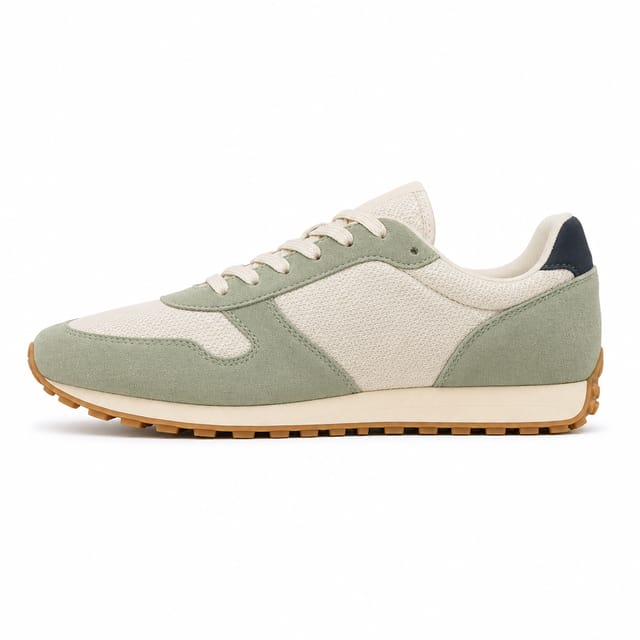
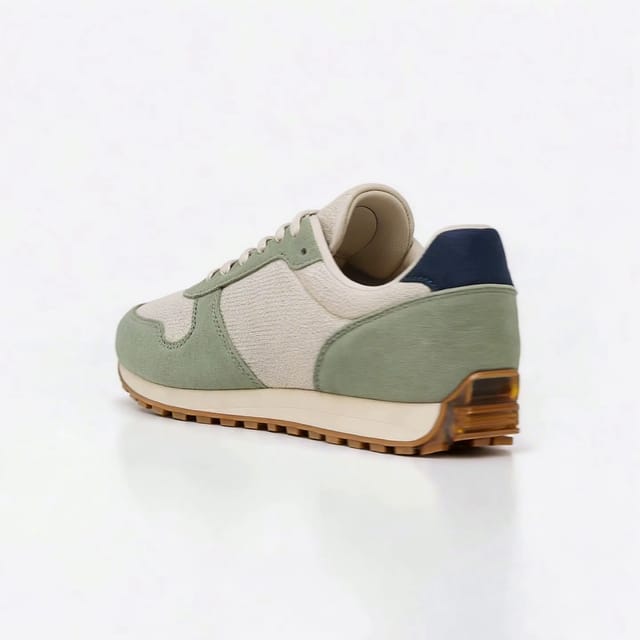
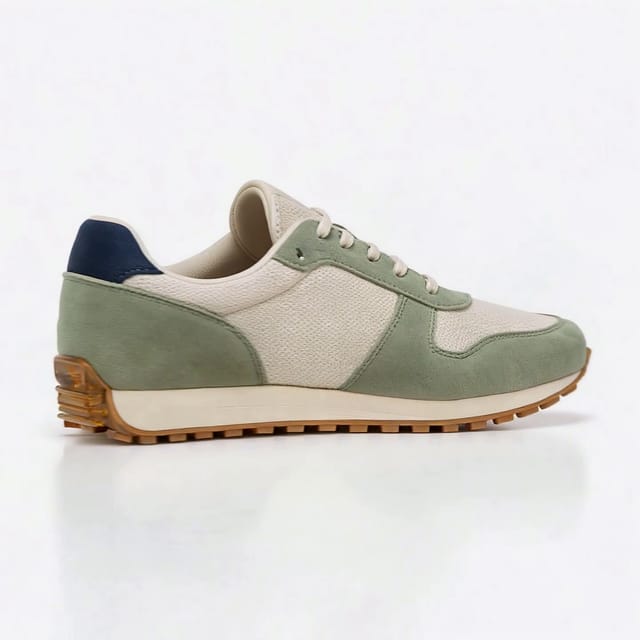
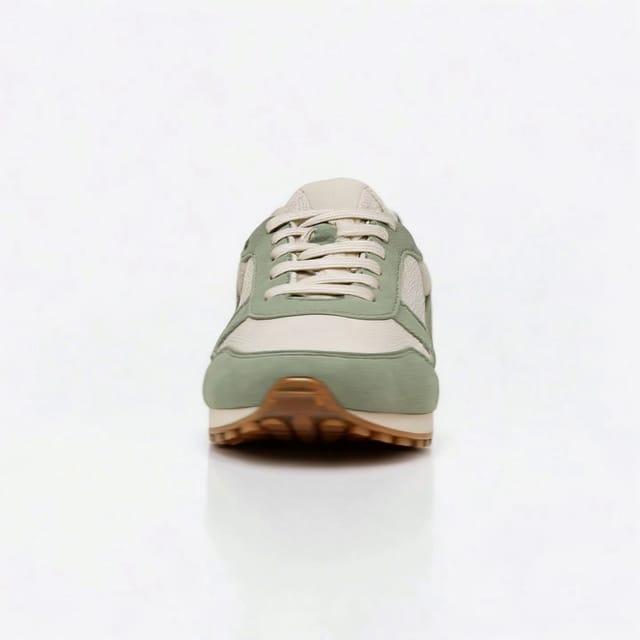
Nodes in this template
The template is a workflow of 8 nodes. Each node below links to its page:
- Extract Frame: 3
- Generate Video: 1
- Lighting: 1
- Prompt: 1
- Text: 1
- Upload Image: 1
Use this template
- Open the template in Nodaro and click Clone & customize. Nodaro copies it into My Workflows.
- Replace the inputs with your own: Product photo.
- Click Run. The editor shows the price before anything runs.
Templates lists every template, and Choosing a model helps when you swap a model.
Frequently asked questions
What does the Product Spin Studio template make?
One product photo in, a seamless 360° spin out: an 8-second square loop that starts and ends on your photo, plus three extra angles pulled from it as stills.
How much does one run of Product Spin Studio cost?
About 102 credits, the price of its models when the template was saved. The editor shows the current price before you run it, and you pay only for the nodes that run.
Which models does Product Spin Studio use?
seedance. You can switch any of them on the canvas after you clone the template.
Do I need to build a workflow to use Product Spin Studio?
No. Clone the template, replace its inputs with your own and click Run. The workflow is already built and connected.
Related
Product imagery templates
2000s Fashion Studio
Beauty Bundle Studio
Camera Angle Studio
Cosmetics UGC Studio
Last updated on