
 Nodaro Docs
Social Media Autopilot
Turn any topic into a fully designed Instagram carousel images, captions, and publishing in one click.
Social Media Autopilot is a ready-made Nodaro workflow in social creatives. Turn any topic into a fully designed Instagram carousel images, captions, and publishing in one click.
| Category | Social creatives |
| Makes | images and text |
| Models | Nano Banana Pro |
| Nodes | 11 |
| Estimated cost of one run | About 19 credits, the price of its models when the template was saved |
| Level | Advanced |
Open Social Media Autopilot in Nodaro
How it works
Social Media Autopilot takes a single topic or idea and transforms it into a complete, publish-ready Instagram carousel.
The workflow automatically:
- Generates a structured carousel script with slide text and image prompts
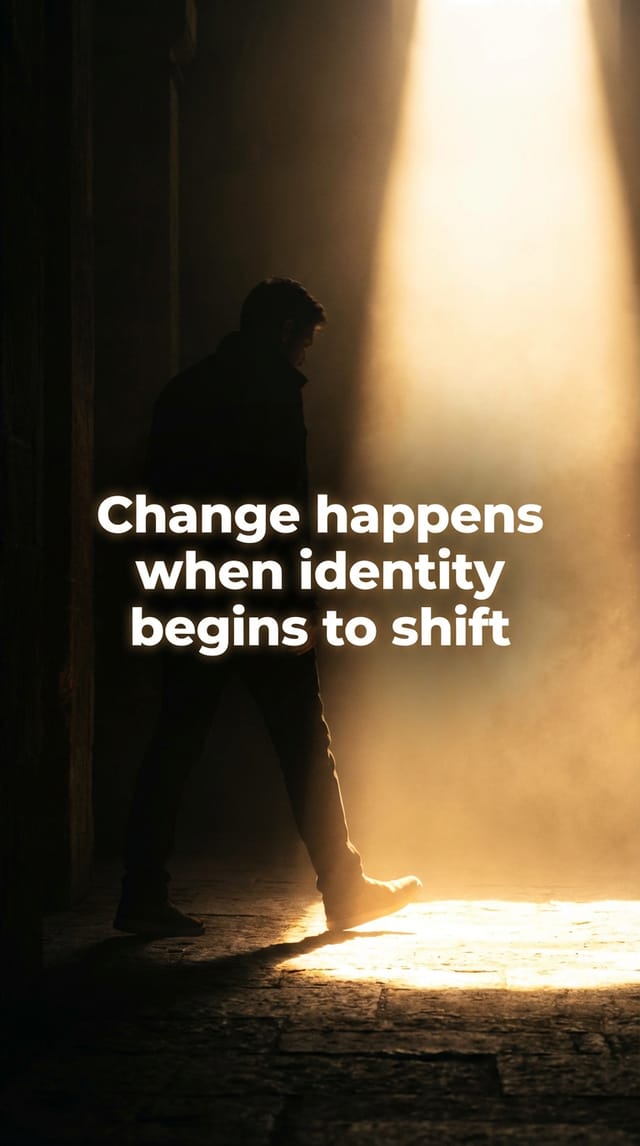
- Creates 10 cinematic, text-overlay images using AI
- Formats every image to Instagram specs (Feed Square, Reel, Story)
- Writes a high-converting caption with a scroll-stopping hook
- Publishes the full carousel directly to your Instagram account
No manual editing. No copy-pasting. Just enter a topic and hit run.
Built for content creators, marketers, and brands who want to produce premium Instagram content at scale — without the production overhead.
Step by step
1- What this flow does
Generates a full Instagram carousel: • Creates structured slides (text + visuals) • Splits slides automatically • Generates matching images • Outputs ready-to-publish content
Idea → Slides → Images → Instagram Post
2- Brain of the flow
Defines strict rules for carousel generation: • Number of slides must match input • Each slide = 1 image • Text is embedded in the image • Output must be production-ready
3. Content Generation
Takes the input idea and: • Converts it into slides • Writes image prompts • Generates intro + caption
4. Slide Splitter
Splits LLM output into individual slides (using "***" separator)
Each item = 1 slide
5. Image Engine
Loops over each slide Generates 1 image per slide Maintains consistent style
6. Final Output
• 10 images (carousel) • Intro text • Caption with CTA Ready for Instagram
7. Important constraints
• No multi-scene images • No missing slides • Max 10 slides • Visual must match text exactly
This flow turns a simple idea into a complete Instagram carousel.
It takes your input and automatically: • Breaks it into structured slides • Generates short, punchy text for each slide • Creates a matching visual concept for every slide • Produces a consistent set of images (one per slide) • Writes an intro and a high-performing caption
The result: A ready-to-publish carousel — no editing needed.
What it made
Results that the template made in Nodaro. Your results follow your own inputs.
Nodes in this template
The template is a workflow of 11 nodes. Each node below links to its page:
- List: 3
- Text: 3
- Prompt: 2
- Generate Image: 1
- Instagram Post: 1
- Social Media Format: 1
Use this template
- Open the template in Nodaro and click Clone & customize. Nodaro copies it into My Workflows.
- Change the text and the pickers to your own subject.
- Click Run. The editor shows the price before anything runs.
Templates lists every template, and Choosing a model helps when you swap a model.
Frequently asked questions
What does the Social Media Autopilot template make?
Turn any topic into a fully designed Instagram carousel images, captions, and publishing in one click.
How much does one run of Social Media Autopilot cost?
About 19 credits, the price of its models when the template was saved. The editor shows the current price before you run it, and you pay only for the nodes that run.
Which models does Social Media Autopilot use?
Nano Banana Pro. You can switch any of them on the canvas after you clone the template.
Do I need to build a workflow to use Social Media Autopilot?
No. Clone the template, replace its inputs with your own and click Run. The workflow is already built and connected.
Related
Templates
Mascot Story Studio
Last updated on