
 Nodaro Docs
Mood
Pick up to two of 51 moods, such as calm, tense or joyful, and Nodaro adds tested wording for the emotion to the prompt of the image or video nodes you connect.
The Mood picker sets the emotional tone of an image or a video. You choose up to two moods from its catalog — calm, tense, melancholic, joyful, ominous and more — and Nodaro adds tested wording for that emotion to the prompt of every node you connect it to. The picker never calls a model, so it costs no credits.
When to use it
- Give a character or a scene a clear emotion without rewriting the prompt.
- Keep the same mood across many shots: connect one Mood picker to several image or video nodes.
- Try the same scene in different moods: change the picker and run the image node again.
How to use it
Add the picker
Open the node picker and choose Creative Controls › Light & Look › Mood.
Choose a mood
Click the node and choose a mood from the grid. Each tile shows the same base image rendered with that mood.
Connect it
Drag from the picker's output to the Look input of a Generate Image or Generate Video node. You can also connect it to a Text or Prompt node to include the wording in a longer text.
Run the image or video node
The picker's wording is added to the end of the prompt when the connected node runs.
Settings
| Setting | What it does |
|---|---|
| Mood | The mood to add. You can pick up to two. The default is Calm. |
| Prompt hint | Full adds a longer description of the mood. Compact adds only the short term. See Full and Compact. |
| Custom text (before) | Your own words, added before the mood's wording. |
| Custom text (after) | Your own words, added after the mood's wording. |
To see the exact words the picker will add, switch the node to the Prompt or Both display mode. The settings panel shows the same text under Will inject into prompt.
Four moods, one portrait
Each portrait below comes from the same workflow: one prompt, one character board connected to References, and GPT Image 2 in Generate Image. The prompt names no expression. Only the Mood changes, with the prompt hint on Full, and under each image is the exact text the picker added to the end of the prompt.
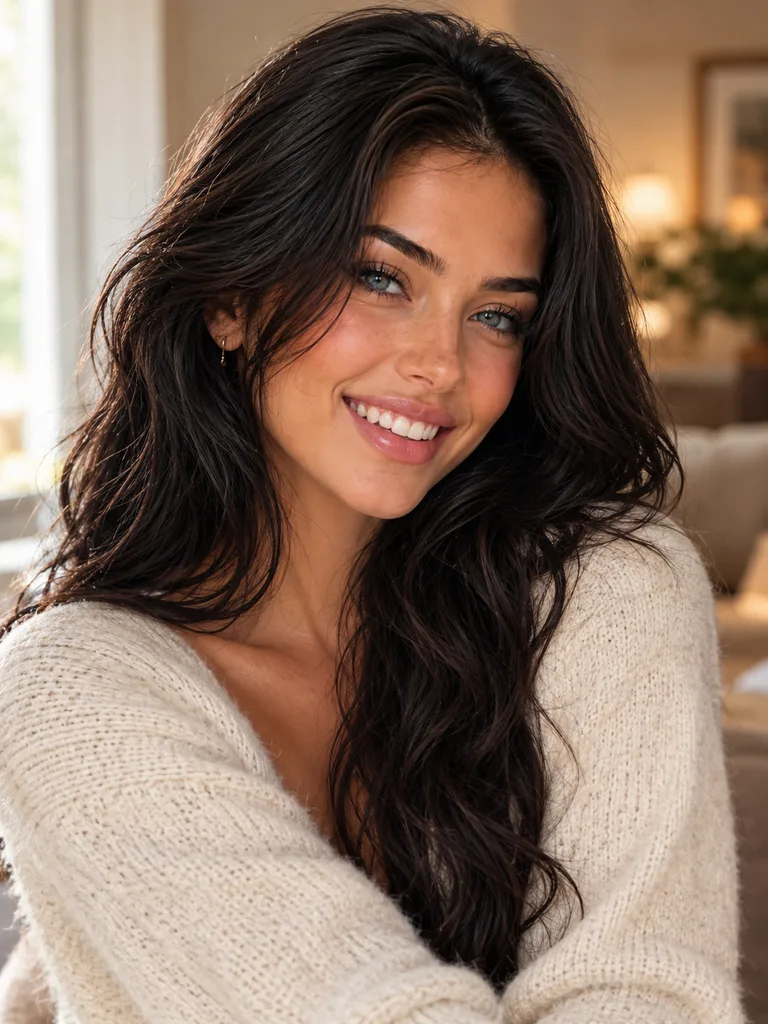
with a radiant, joyful expression full of delight, the corners of the mouth rising uncontrollably, steps light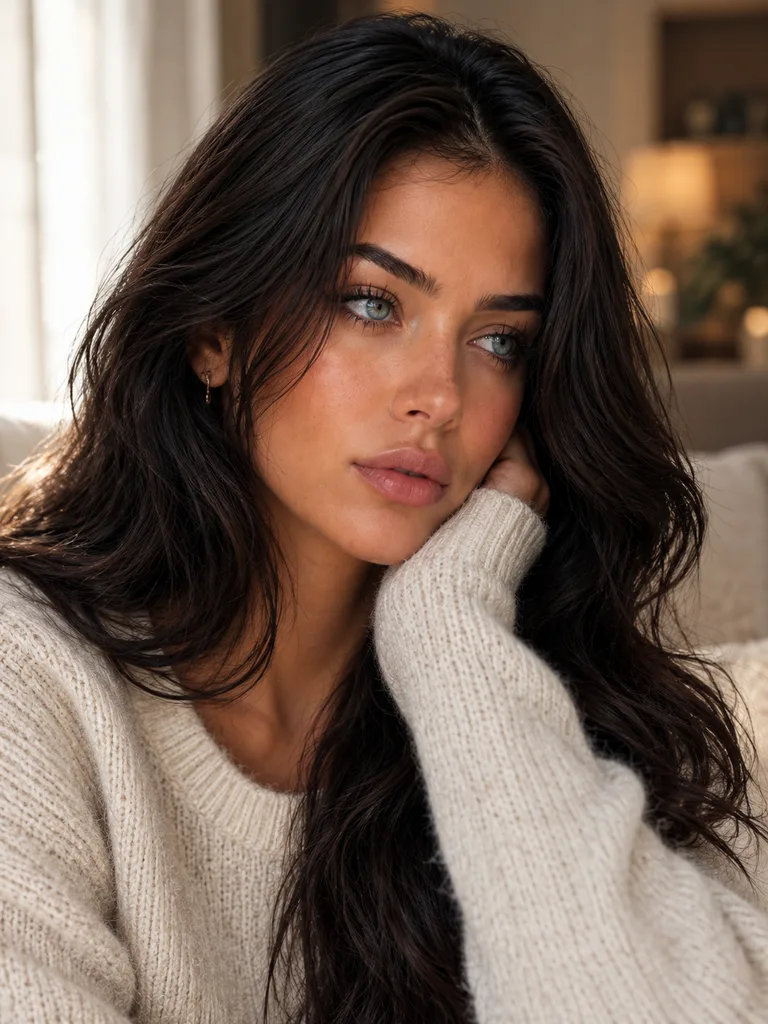
with a melancholy, wistful expression lost in thought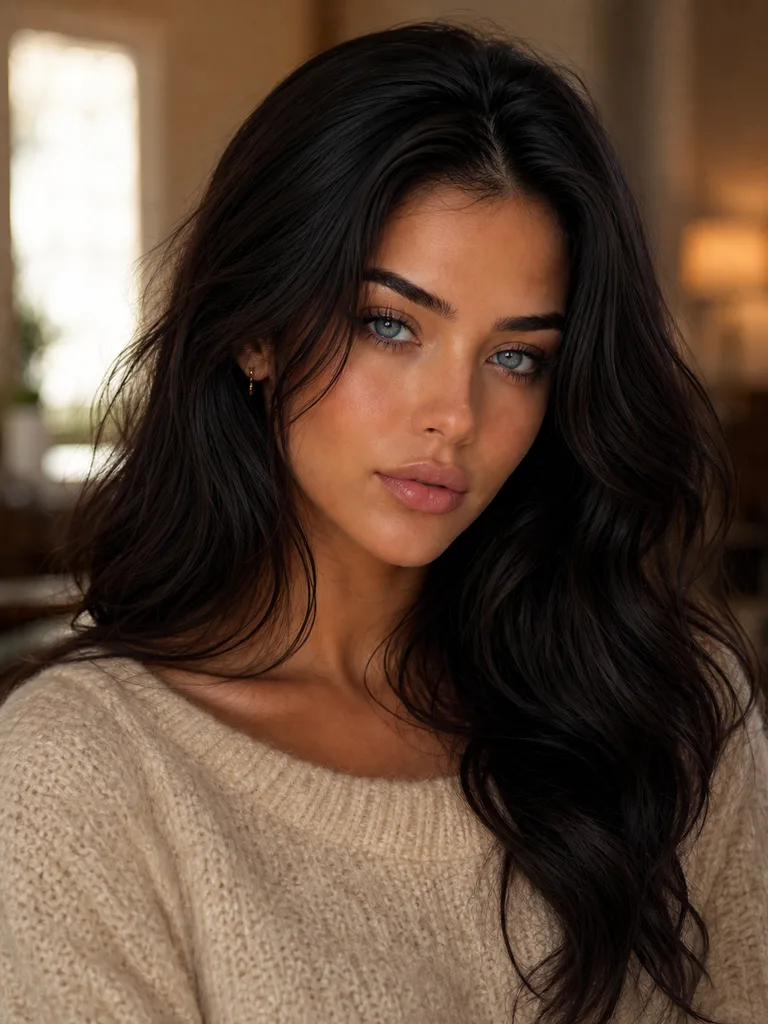
with a fierce, commanding expression and blazing intensity
with a shocked, surprised expression, eyes wide, brows raised and mouth openIn Full mode, each mood adds a short description of the face and the body, such as the raised brows and open mouth of Shocked. In Compact mode, the picker adds only the term, such as shocked expression. In an earlier test with the same character board and only the Compact terms, the faces barely changed. The Full wording gave the clear change you see above, so keep Mood on Full when a character board or other face references are connected.
Every mood
Search the catalog or filter it by group. The words under each name are the term the picker adds in Compact mode.
Positive · 11 options
 Happyhappy expression
 Joyfulradiant joyful expression
 Relievedrelieved expression
 Sereneserene expression
 Playfulplayful expression
 Confidentconfident, self-assured demeanor
 Lovingtender, loving expression
 Amusedfaintly amused expression
 Eccentricquirky, eccentric energy
 Hopefulhopeful expression
 Flirtyflirty expression
Negative · 16 options
 Sadsad, downcast expression
 Angryangry expression
 Afraidfearful expression
 Anxiousanxious, nervous expression
 Melancholymelancholic expression
 Devastateddevastated, heartbroken expression
 Grievinggrief-stricken expression
 Caught Off Guardcaught-off-guard expression
 Aloofaloof, detached expression
 Vulnerablevulnerable, exposed expression
 Coycoy, bashful expression
 Boredbored, deadpan expression
 Embarrassedembarrassed, flushed expression
 Disgusteddisgusted expression
 Bewilderedbewildered expression
 Suspicioussuspicious, wary expression
Neutral · 12 options
 Smirkingcocky smirk
 Thoughtfulthoughtful, contemplative expression
 Stoicstoic, impassive expression
 Calmcalm expression
 Curiouscurious expression
 Mysteriousmysterious, enigmatic expression
 Dazeddazed, dreamy expression
 Sleepysleepy expression
 Unbotheredunbothered, self-possessed calm
 Lazy Shydrowsy, half-shy expression
 Resignedresigned expression of quiet acceptance
 Conflictedconflicted, torn expression
Intense · 12 options
 Fiercefierce, commanding intensity
 Determineddetermined, resolute expression
 Passionatepassionate expression
 Broodingbrooding expression
 Seductiveseductive expression
 Defiantdefiant expression
 Sultrysultry expression
 Smolderingsmoldering intensity
 Sinistersinister expression
 Wiccan / Mysticaloccult, otherworldly mystical expression
 Aweawestruck wonder
 Shockedshocked expression
Full or Compact
Every catalog picker can add its choice in two ways:
| Mode | What it adds | Use it when |
|---|---|---|
| Full (default) | A longer description of the choice | The model needs more to work with, or the picker is the only look control |
| Compact | Only the short professional term | Many pickers feed one node, or the model already knows the term |
Switch the mode with the Prompt hint toggle at the top of the node or in the settings panel. Your Custom text (before) and Custom text (after) are added in both modes.
Tips
- Pair it with light and color. Mood works best with Lighting and Color / Look: a melancholic mood with blue-hour light and a cold grade reads stronger than any one of them alone.
- Drive a scene per mood. In a story workflow, use one Mood picker per scene so that each scene can have its own emotion.
- Add a detail the catalog does not have. Use Custom text (after), for example
with tears in her eyes.
Frequently asked questions
Related
Creative controls
Lighting
Color / Look
Atmosphere
Generate Image
Last updated on
Color / Look
Pick one of 41 color grades, such as Teal & Orange, Kodak Portra or Bleach Bypass, and Nodaro adds that grade to the prompt of your image and video nodes.
Atmosphere
Add weather and particles to an AI image or video. Pick up to 2 of 40 conditions, such as Fog, Light Rain, Snow, Smoke or God Rays, from one picker.