
 Nodaro Docs
One portrait, five looks
One AI portrait edited five ways in Nodaro with Lighting, Color / Look, Style and Lens pickers instead of a written prompt, with the words each picker added.
The Get started with image editing tutorial changes one AI portrait with pickers instead of written prompts. Each edit is a Modify Image node with an empty prompt and a look picker, so the picker's words are the whole instruction. This page shows five of those edits, the exact words each picker added, and two edits made without a picker.
The original image
The portrait came from one Generate Image node with GPT Image 2 at 4K. It shows a woman who does not exist, in a mustard jacket, in an empty white loft. Every edit below reads this same image.

This is the prompt the image was made from, word for word:
How each edit is connected
Each edit uses the same three parts:
- The original image, connected to the Image input of a Modify Image node.
- One look picker, connected to the Cinematography input of the same node.
- An empty Transformation Prompt, so the picker's words are the whole prompt.
The pickers ran in Full mode, the default, which adds the longer description of each choice. Creative controls explains the modes and the other places a picker can connect.
Five looks, five choices
Under each result is the exact text its picker added to the prompt.

Golden hour lighting, warm sunset glow with soft directional sunlight and saturated golden tones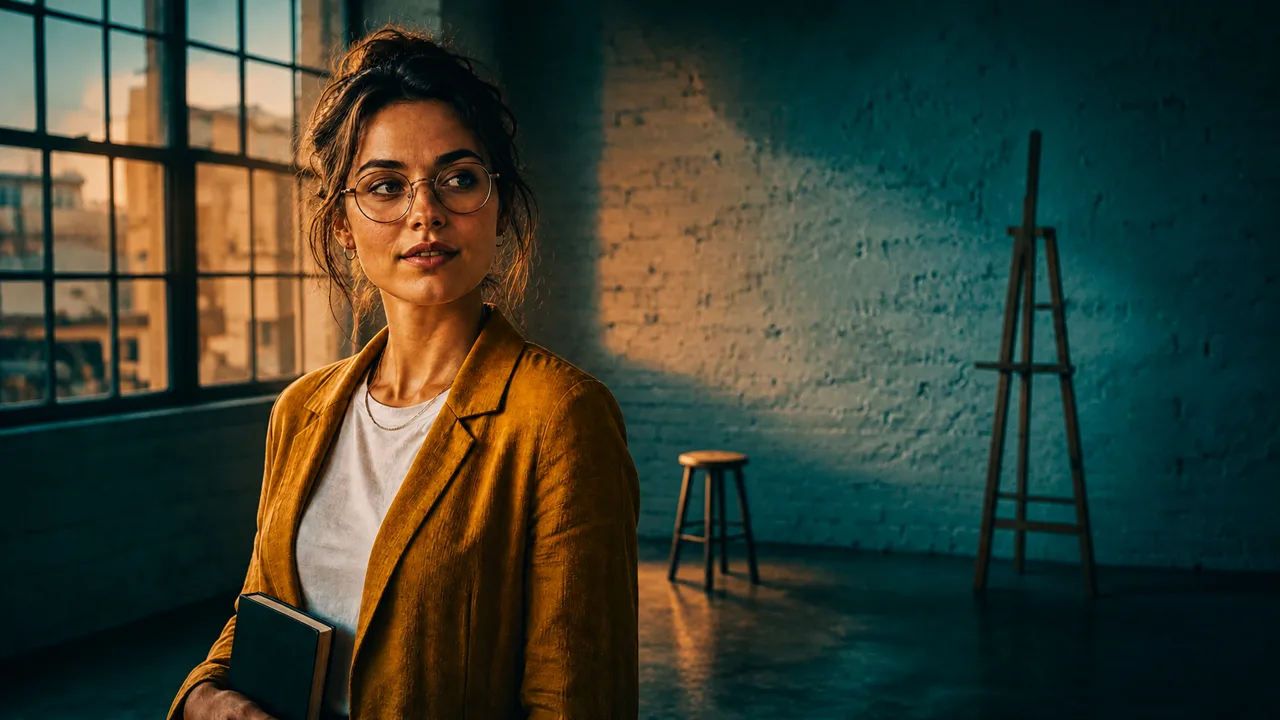
Teal and orange color grade, warm skin tones against cool teal shadows, Hollywood blockbuster look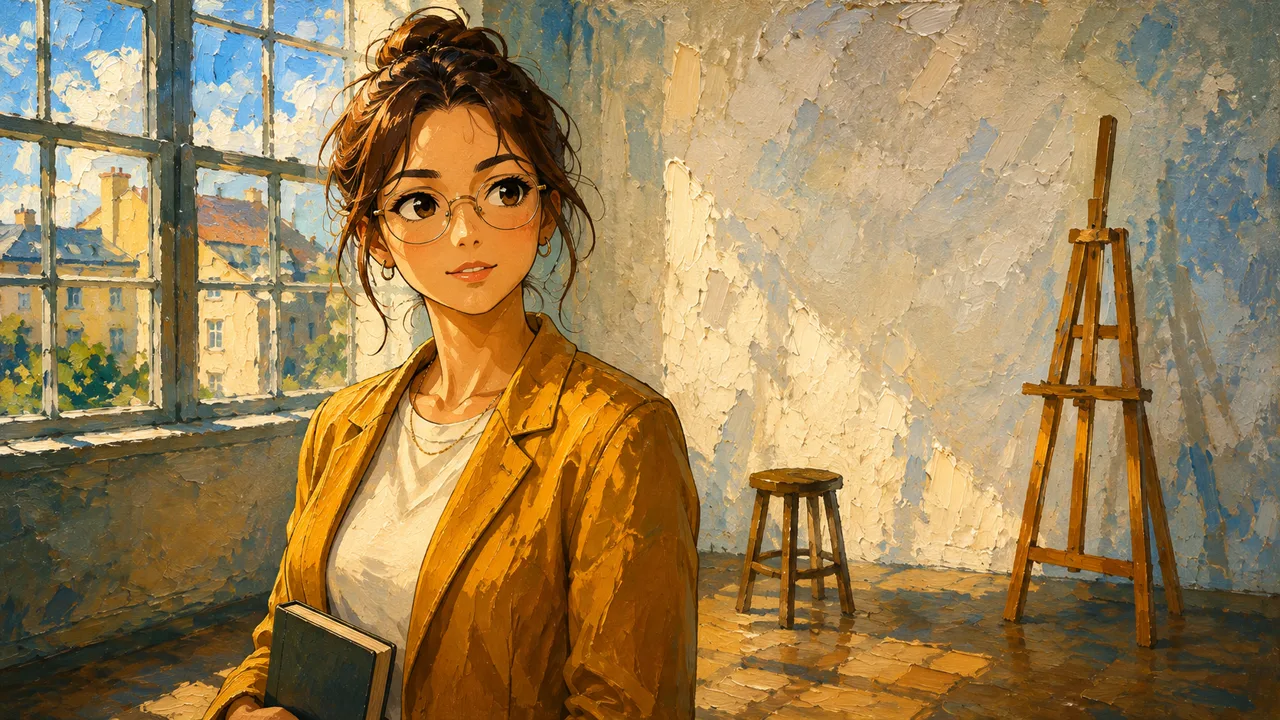
Anime style, Japanese animation aesthetic with bold cel-shaded lines, expressive eyes and saturated colors, oil painting style, visible thick brush strokes on canvas with rich pigment, classical painterly texture and warm tonal blending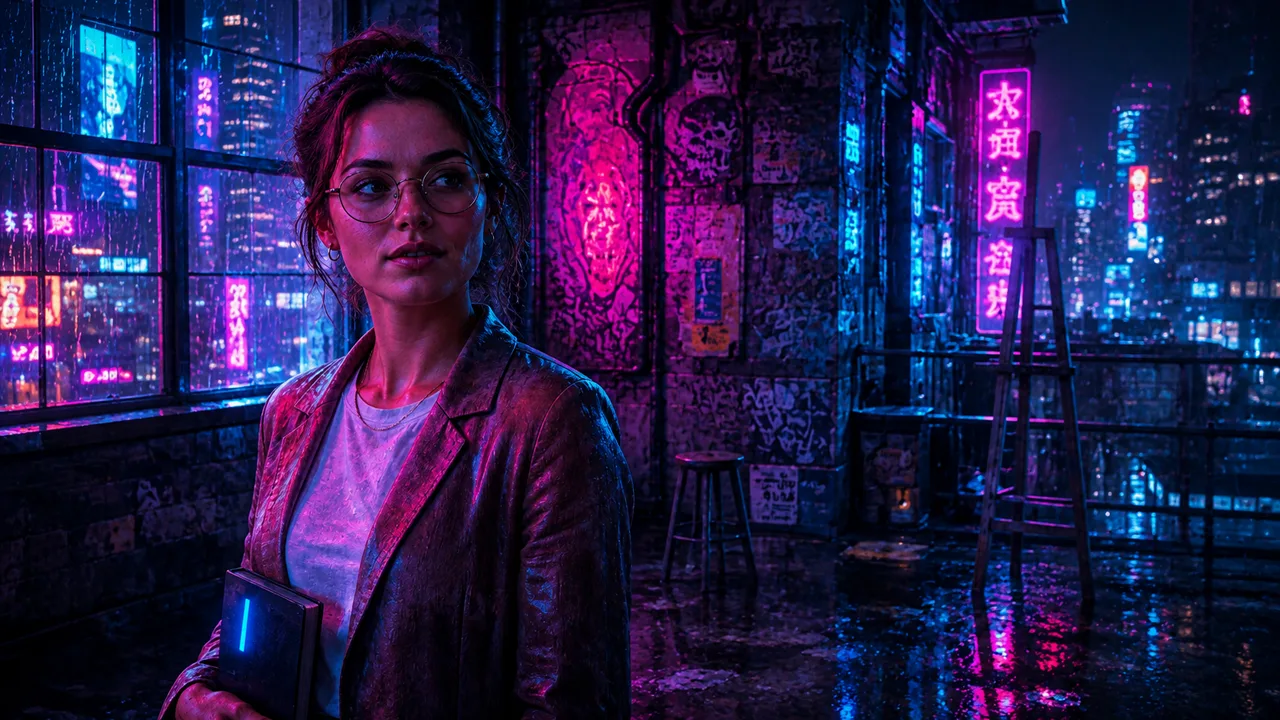
Cyberpunk style, neon-lit dystopian future aesthetic with magenta and cyan glow, rain-slick reflections, high-tech low-life mood and dense urban detail
Shot on 85mm portrait lens, flattering facial compression with creamy background bokehWhat changed and what stayed
| Look | What changed | What stayed |
|---|---|---|
| Golden Hour | Low, warm light through the window, with long shadows on the wall | The woman, her clothes, the book, the stool and the easel |
| Teal & Orange | Cool teal shadows across the room | Warm skin and the mustard jacket, the whole composition |
| Anime and Oil Painting | The whole frame became a thick-paint canvas, with anime eyes | The pose, the window, the stool and the easel |
| Cyberpunk | The loft became a dark room lit by neon, with a rainy city outside | Her pose, her glasses and the book |
| Portrait (85mm) | A closer frame and a blurred background. The model also removed her glasses and the book, which the picker did not ask for | Her face, her hair and the jacket |
Two edits without a picker
A picker is the fastest way to set a look. For one exact change, a written prompt is clearer. The jacket edit below used this prompt on the same Modify Image setup:
 Before
 After
AfterThe Remove Background node needs no prompt at all. It cut the woman out of the loft and returned the image with a transparent background.
Before After
AfterWhat it costs
Prices are today's, for the same settings:
| Step | Model | Credits |
|---|---|---|
| The original, at 4K | GPT Image 2 | 84 |
| Each edit, at the default 1K | GPT Image 2 (I2I) | 17 |
| The cut-out | Recraft Remove BG | 4 |
| Each picker | None | 0 |
The five picker edits and the jacket edit together cost 102 credits.
Try it
Open the Get started with image editing tutorial on app.nodaro.ai. It shows this run, with every node and result, without signing in. Run tutorial copies the workflow into your account, and copying is free. See Tutorials and templates for where tutorials live in the app.
To change the look, choose another option in a picker, or connect a different picker to the Cinematography input. The Lighting, Color / Look, Style and Lens pages show every option with a picture.
Frequently asked questions
Related
Creative controls
Modify Image
Lighting
Style
Pickers in action
Last updated on
Pickers in action
Nodaro pickers turn a choice from a grid of pictures into tested prompt words for light, style, lens, camera and music. Real runs show what each choice added.
Seven songs from music pickers
Seven Suno songs made in Nodaro from music pickers. Choose a genre, a mood, instruments and a voice, and the pickers write the description Suno receives.