
 Nodaro Docs
Transcribe
Turn the speech in audio or video into text with ElevenLabs STT or Whisper. Get word timings for captions, speaker labels, and tags for music and laughter.
The Transcribe node turns speech into text. Wire in audio or a video, and the node returns the transcript twice: as plain text, and as a structured transcript with the timing of every word. You can choose between three engines, and they differ in one thing that matters for captions: whether they return word timings.
When to use it
- Transcribe an interview or a podcast for written content.
- Make captions and subtitles from the sound of a video, with Add Captions.
- Turn voice memos and meeting recordings into text.
- Make an audio library searchable as text.
- Feed a transcript into a text node to summarize or analyze it.
- Give Edit Plan the timed transcript it needs to plan an edit.
Quick start
Add the node
Press Tab on the canvas and choose Audio › Transcribe › Transcribe.
Wire the recording
Wire an audio node or a video node into the Audio input.
Choose the engine and the language
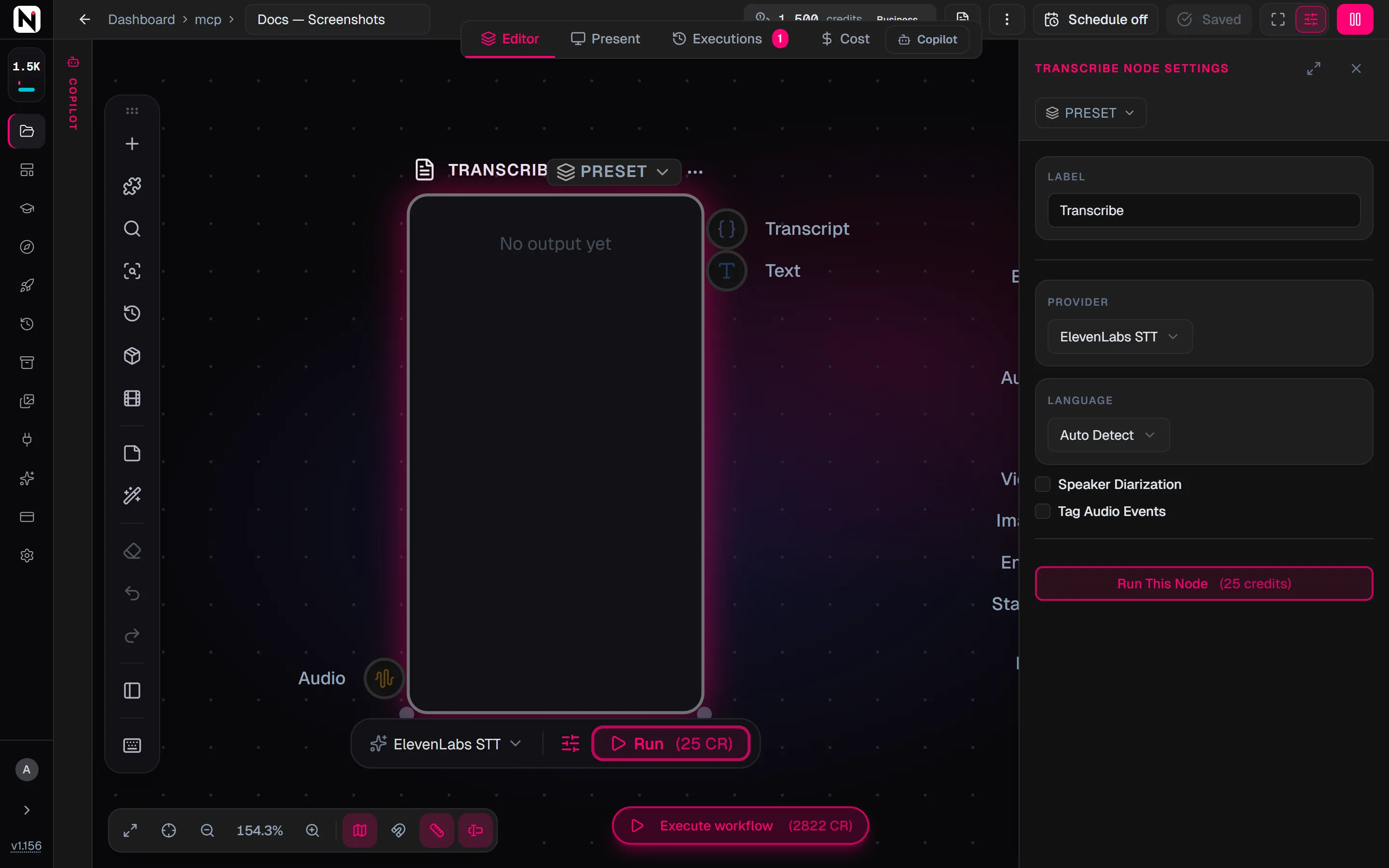
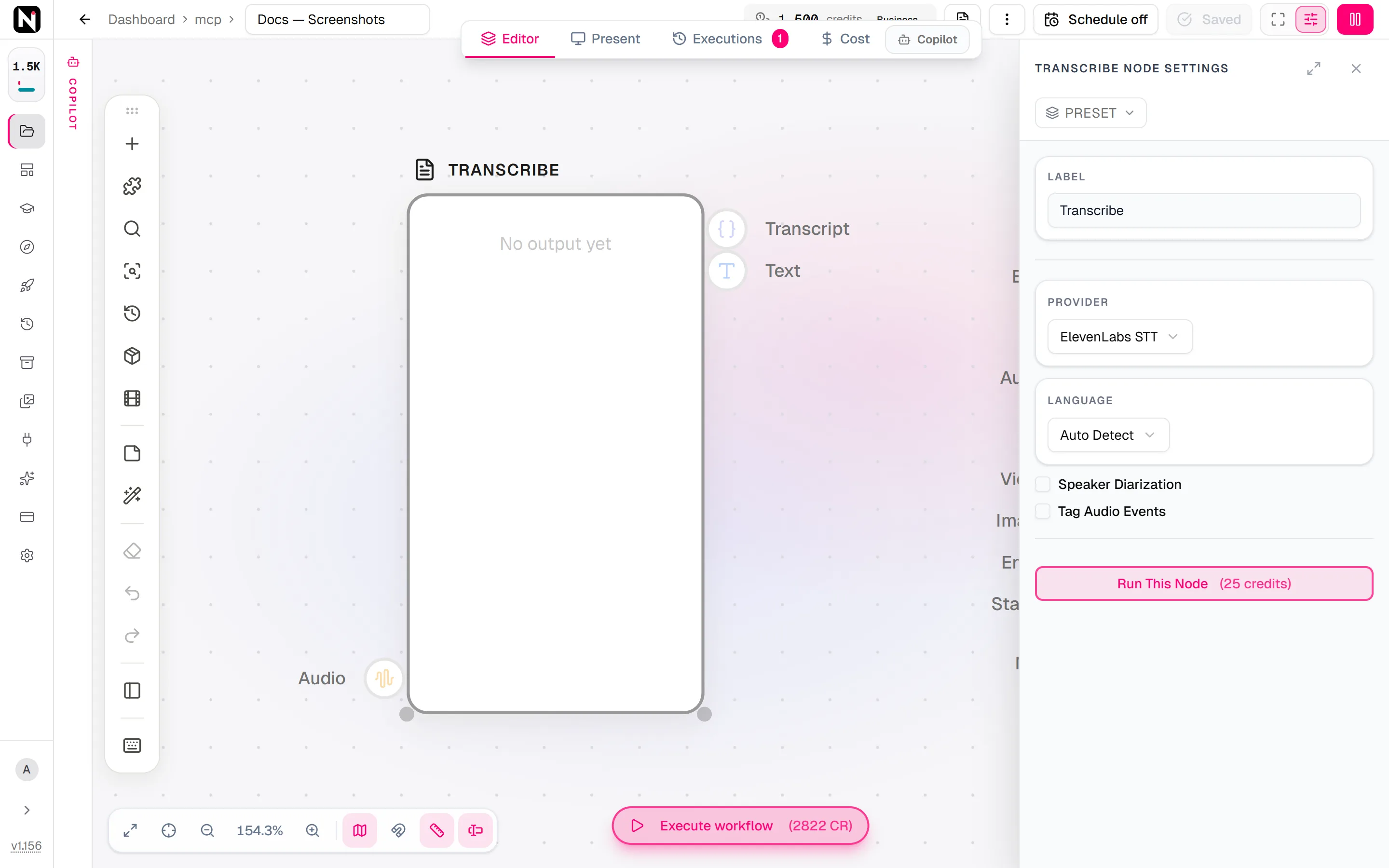
Open the settings panel. Keep Provider on ElevenLabs STT unless you need another engine. Keep Language on Auto Detect, or choose the language.
Run it
Click Run on the node. The plain transcript appears on the Text output and the timed transcript on the Transcript output.
Input and outputs
| Input | Accepts | What it does |
|---|---|---|
| Audio | Audio and video nodes | The speech to transcribe. For a video, the node uses its sound track. |
| Output | What it carries |
|---|---|
| Text | The whole transcript as plain text. It connects to any node that takes text. |
| Transcript | The structured transcript, with word and segment timings in milliseconds. It feeds Add Captions and the editing nodes. |
In a prompt, a reference to the node's label, such as {Transcribe}, gives the plain text.
Settings
| Setting | What it does |
|---|---|
| Provider | The engine: ElevenLabs STT (the default), Whisper — no word timings or Incredibly Fast Whisper. |
| Language | Auto Detect (the default), or one of 20 languages, such as English, Spanish, Hebrew, Japanese and Arabic. |
| Speaker Diarization | Labels who said what. Off by default. Shown only when Provider is ElevenLabs STT. |
| Tag Audio Events | Marks non-speech sounds in the transcript, such as [music] or [laughter]. Off by default. Shown only when Provider is ElevenLabs STT. |
Speaker Diarization and Tag Audio Events are independent: turn on one, both or neither.
Models
| Model | Maker | Modes | Credits | Details |
|---|---|---|---|---|
| ElevenLabs STT | ElevenLabs | Speech to text | 22 | Speech-to-text with WORD-level timestamps (always on), speaker diarization and audio-event tags. The engine to use when the transcript feeds captions. |
| Incredibly Fast Whisper | OpenAI | Speech to text | 40 | Fast Whisper speech-to-text. Returns WORD-level timestamps when asked, so its transcript can feed captions. |
| Whisper | OpenAI | Speech to text | 40 | Whisper speech-to-text — PHRASE-level segments only, NO word timestamps. Fine for a transcript or a static subtitle; not for word-timed (kinetic) captions. |
Word timings: which engine returns them
| Engine | Word timings | Notes |
|---|---|---|
| ElevenLabs STT (default) | Always | Word-level by design. The engine for captions, speaker labels and audio events. |
| Incredibly Fast Whisper | When needed | The node asks for word timings automatically when the Transcript output is connected. |
| Whisper | Never | Phrase segments only. Fine for a plain transcript or a static subtitle. |
If ElevenLabs STT or Incredibly Fast Whisper returns no word timings for audio that clearly has speech, the run fails and the credits are refunded. Audio with no speech at all still succeeds, with no words, for example a clip that transcribes as [music].
The structured transcript
The Transcript output looks like this:
{
  "version": 1,
  "language": "en",
  "words": [
    { "text": "Welcome", "startMs": 0, "endMs": 420 },
    { "text": "back", "startMs": 460, "endMs": 700 }
  ],
  "segments": [
    { "startMs": 0, "endMs": 700, "text": "Welcome back" }
  ]
}- All times are whole milliseconds.
wordsholds every word with its start and end. It is filled whenever the engine returns word timings.segmentsholds the coarser sentences or phrases, when the engine provides them.- On a run with Speaker Diarization, each word and segment also has a
speaker. A word can also carry aconfidence.
On the Text output, Speaker Diarization adds labels such as Speaker 1: before each segment, and Tag Audio Events adds tags such as [music] and [laughter] in place.
Make captions from a transcript
Wire the Transcript output into the transcript input of Add Captions. Add Captions then draws captions timed to each word. Use ElevenLabs STT or Incredibly Fast Whisper for this.
A Whisper transcript cannot drive captions. When a Transcribe node on Whisper feeds Add Captions, the run is refused before anything runs or is charged, with this message:
Captions need word timings, but the "whisper" engine does not return word timings — pick incredibly-fast-whisper or elevenlabs-stt.- The check also covers a chain through Apply EDL, and chains inside a sub-workflow at any depth.
- The settings panel shows the same warning next to Provider as soon as the connection exists, so you can fix it before you run.
- Running the Transcribe node on its own is never blocked. A Whisper transcript that goes anywhere else is fine.
- One case cannot be checked in advance: a chain where Transcribe and Add Captions sit on different sides of a sub-workflow boundary. That run fails at Add Captions, after the transcription has run and been charged.
Credits
Transcribe costs a flat price per run, whatever the length of the audio:
| Engine | Credits per run |
|---|---|
| ElevenLabs STT | 22 |
| Incredibly Fast Whisper | 40 |
| Whisper | 40 |
A request that is refused before it starts, such as a Whisper transcript wired into Add Captions, is not charged.
On a self-hosted install
Each engine runs on your own provider key. When the chosen engine has no key and the install has a Nodaro Cloud connection, the transcription runs through the connection. With neither, the node fails with a message that names the key to add. See Provider keys.
Tips
- Leave the language on Auto Detect. Choose a language only when you know it, for example when two languages sound similar.
- Label speakers for conversations. Turn on Speaker Diarization for interviews, meetings and podcasts.
- Tag events when they matter. Turn on Tag Audio Events when background sounds help to understand the recording.
- Clean noisy audio first. Wire the recording through Voice Extractor before Transcribe.
- Split very long audio. Shorter segments transcribe more reliably. Split into Chunks cuts a long file into equal parts.
- Align your own script instead. When you already have the exact script, Forced Alignment times each of its words against the audio.
From the API
POST /v1/transcribe takes audioUrl and the optional provider (elevenlabs-stt, incredibly-fast-whisper or whisper), language, diarize, tagAudioEvents and wordTimestamps.
- Name the engine. A request without
providerruns Whisper, so existing callers keep the engine they had. Setproviderwhenever you need word timings,diarizeortagAudioEvents. - Word timings.
incredibly-fast-whisperreturns words only withwordTimestamps: true.wordTimestamps: trueonwhisperis refused with a400 validation_errorbefore the job is created, so nothing is charged. The engine is never swapped silently. - Captions. The finished job's
output_data.wordsalready has the caption shape (text,startMs,endMs). Pass it toPOST /v1/add-captionsascaptions, and Add Captions does not transcribe again. - Price.
GET /v1/credits/model-cost?model=<engine>returns the exact price for your account.
The SDK method is client.audio.transcribe, and the CLI command is nodaro audio transcribe --provider <engine>. The MCP tool transcribe always runs ElevenLabs STT, so its result always has word timings. See Voice and media.
Frequently asked questions
Related
Add Captions
Forced Alignment
Edit Plan
Voice Extractor
ElevenLabs STT
Last updated on
Audio FX
Put a voice in a room, a car or a church with a reverb, or add a telephone, megaphone or echo effect. A flat 20 credits per run, plus custom delay and EQ.
Forced Alignment
Time every word of a known transcript against its audio and get each word's start and end as data, for karaoke highlights, timed graphics and captions.