
 Nodaro Docs
Camera Motion Lab: how 147 videos taught us to move a camera
We tested 64 camera movements on 147 AI videos and found that cinematic terms are not the language a video model understands best. Here is what works.
We tested 64 camera movements and discovered that cinematic terminology is not necessarily the language a video model understands best.
- Study length
- 25 days
- Videos
- 147
- Base images
- 13
- Options approved
- 64 of 64
- Credits
- 72,118
- Main model
- Seedance 2.5
At first, the problem looked simple.
We have a Camera Motion picker. The user selects a movement such as Orbit, Truck, Dolly In or Whip Pan, and we append a short description of that movement to the video prompt.
We started with the plainest professional instruction:
Any cinematographer or director would immediately understand that instruction. The model barely moved.
We tried Orbit:
Again, the result was unreliable. The direction came out correctly only about half the time.
We tried explaining more. We tested different directional wording, degrees, stronger phrasing, exclusions and different clip durations. Sometimes the result improved. Sometimes it became worse. And sometimes the model did something else entirely.
Then we stopped telling the model what the movement was called. Instead, we started explaining what the camera physically does. That changed almost everything.
The two discoveries that changed the study
By the end of the experiment, we had arrived at two core findings.
Camera movement is better described as geometry than as terminology alone.
What moves, what stays constant, how nearby and distant elements move relative to one another, and where the camera should end.
In image-to-video, the starting frame is part of the instruction.
A reasonable motion prompt can still produce the wrong movement when the source image is already pulling the model in another direction.
What we actually tested
The study ran for 25 days. We generated 147 videos and 13 base images, using a total of 72,118 credits, roughly $200–220 at the public top-up prices available during the study.
98 videos were generated with Seedance 2.5 at 480p, another 47 with Seedance 2 Fast, and two with VEO 3.1 during an early provider comparison.
By the end, all 64 Camera Motion options in scope had been approved: 61 on Seedance 2.5 and three on Seedance 2 Fast.
Scope: a product engineering study, not a statistical benchmark
We did not run every prompt hundreds of times to estimate a universal success probability. The goal was to find a generic, reliable-enough instruction for every option in the picker, so it could be used in production. The tests were performed mainly with Seedance 2.5 and Seedance 2 Fast, using image-to-video, 480p resolution and English prompts. When this article says something "worked" or "failed", it refers to what happened in this series of experiments. It does not mean every video model will always behave the same way.
That distinction became especially important when we almost attributed a bias to the model that turned out not to exist.
The "left bias" that wasn't
Early in the study, we tested the same movement in opposite directions. Same image. Same prompt structure. Same duration.
Left succeeded three times out of three. Right succeeded once out of three. The pattern persisted across 12 rightward attempts using four different phrasings.
The conclusion seemed obvious: the model had a leftward bias. We even budgeted an extra 240 credits for it. We were wrong.
The problem was how we described direction. Once we expressed direction as the direction of camera travel, rather than as a side relative to the subject, the pattern disappeared. From that point on, the rightward movements tested with this formulation passed on the first take.
That became one of the most important lessons in the project:
LessonA consistent failure pattern does not necessarily reveal something about the model. Sometimes it reveals something about your wording.
The breakthrough: movement is geometry
The turning point came with Arc Right. Instead of giving the model only the movement name, we described five things:
- What the camera physically does.
- What stays constant.
- How nearby and distant elements should move relative to each other.
- What the final viewpoint should look like.
- Which unwanted movements should not occur.
The approved prompt looked like this, one sentence for each of the five:
| Part | Sentence in the approved Arc Right prompt |
|---|---|
| 1. Motion | The camera slowly moves sideways to the right while curving around the subject, continuously turning toward the subject to keep the same centered framing. |
| 2. Constant | The camera maintains constant distance from the subject. |
| 3. Depth | As the viewpoint changes, strong natural parallax is visible: nearby environmental elements shift right noticeably while distant background elements shift right more slowly. |
| 4. End state | The shot ends from a slightly different three-quarter viewing angle. |
| 5. Guardrail | No zoom, no push-in, no pull-out. |
The word parallax remains because this is the actual prompt that was tested. The idea is simple: when the camera physically travels through space, nearby and distant objects do not move across the frame at the same rate.
The important difference in this prompt is not its length. It no longer relies on the model understanding what we mean by Arc. It describes the movement itself: the camera travels sideways while curving around the subject, keeps turning toward the subject to preserve framing, keeps its distance, sees nearby elements shift more than distant ones, and ends from a slightly different viewpoint.
Before this change, we spent 12 takes on Arc Right and still had a weak result. With the geometric description, it succeeded three times out of three.
FailedLabel-style wording, take 1 of 12. Asked to arc right, it went left.
ApprovedGeometric wording, first take.
How do you know whether the camera actually moved?
The difference between the movement of nearby and distant objects became one of our most useful diagnostic tools.
When a camera physically moves through space, the relationship between depth layers changes. An object close to the camera usually moves across the frame faster than an object far away. If the camera only rotates in place, the frame still moves, but that depth change does not happen in the same way. And if the effect is a pure zoom, the camera does not move at all and the perspective stays almost unchanged.
That gave us a useful classification:
| Movement | What the camera does | What you should see |
|---|---|---|
| Orbit, Dolly, Truck, Pedestal, Crane | Travels through space | A clear change in the relationship between near and far elements |
| Pan, Tilt, Roll | Rotates in place | The frame moves, but without the same depth shift |
| Zoom | Does not move | Perspective stays fixed, as if the same image were enlarged or reduced |
| Dolly Zoom | Moves while the focal length changes at the same time | A different test that is hard to fake, shown below |
For Dolly Zoom, the test we wrote into the prompt was:
The capitals are as written in the approved prompt.
The 360 that failed five times
A full revolution around the subject was one of the hardest cases early in the study. The original wording did not come close.
We tried 180 degrees, and got something closer to a full revolution, in the wrong direction. We tried:
That was even worse: the camera moved slightly away from its starting point and then returned. At one point, we had already written in our notes that a reliable 360 might not be possible without a video reference. We were wrong again.
The solution was to stop asking for "360" and instead describe the route as a sequence of states: one side of the subject, behind the subject, the opposite side, then back to the starting point. We also added a test that is hard to fake:
If the camera is not genuinely circling the subject, it is difficult to satisfy that condition convincingly. Finally, we added:
The new wording passed on the very first take.
FailedOriginal catalog wording. Not close to a full revolution.
ApprovedRoute as a sequence of states, plus the hard-to-fake test. First take.
Sometimes asking for "more" gives you less
At another point, we tried extending the route with the phrase:
The result was the opposite of what we expected. The camera started at 6 o'clock on an imaginary clock around the subject. With the phrase, it only got to about 5; without it, it went on to about 4.
In other words, asking for a longer path shortened the movement.
Numbers did not give us the precision we expected either. 180 degrees, for example, did not reliably produce a 180-degree move. Our conclusion was not that numbers are always wrong. It was that a numeric angle or movement magnitude inside the prompt was not reliable enough for this purpose. One other number, however, turned out to matter a lot: clip duration.
Clip duration is part of the movement
The same prompt covered roughly one sixth of a circle in five seconds and about 150 degrees in 15 seconds. But there was a limit. In one 15-second attempt, the camera reached its endpoint and then reversed direction to fill the remaining time.
If the correct movement finishes and then starts reversing, first check whether the clip should be shorter. Do not immediately rewrite the prompt.
There is an important exception: Breathing and Push-Pull. In both of those movements, the repeated inward-and-outward motion is the movement itself. There, we extended the clip to 10 seconds to give the repetition time to read properly.
Ask for what the speed looks like
Words such as "fast" or "slow" on their own did not give us enough control either. What worked better was describing the visible consequence of the speed. For Whip Pan, for example, we used:
For Creep In, we did almost the opposite:
Combined with an appropriate duration, the difference became much clearer. Within the Dolly family, this effectively created a ladder:
Most of the underlying geometry can stay almost identical. So rather than only telling the model how fast to move, it can be more effective to describe what that speed should look like on screen.
Negative instructions are a guardrail, not the engine
At first, we thought negative instructions simply did not work. That conclusion was too strong.
We ran three takes with:
The camera still pushed inward. What worked better was first defining the desired behavior positively:
And only then adding:
We never ran a controlled comparison of an approved prompt with and without its exclusion line, so we cannot measure how much of the success came from that line specifically. The more careful conclusion is that the positive instruction is the main engine, while the exclusions serve as an additional guardrail in our workflow. Screen Tap and Phone Flip support the same pattern: the successful fixes combined a positive description of what should happen with explicit exclusions of what should not appear.
Words can leak into the video
In the second half of the study, we discovered that sometimes the problem was not the physics. It was a single word. A video model may take a word chosen only to describe a feeling and turn it into a literal visual action.
- Pedestal Up. We wrote
rock strata ... descend into view. The model did not merely change the viewpoint: it made the rocks themselves fall and pile up at the end of the clip. The sentence named a specific object in the scene and attached the downward action to the object instead of the camera. - Dolly Zoom. We used words such as
bendanddizzying. Instead of stretching depth, the frame rolled by roughly 90 degrees. Words chosen to describe a feeling were read as a request for a roll. - Screen Tap. The phrase
finger tapmade the model draw a real finger into the scene, complete with a click sound. - Phone Flip. The word
rotatesbecame a smooth, continuous carousel-like spin instead of one quick flip.
Use only vocabulary that belongs to the movement you actually want, and explicitly protect the axes that should remain unchanged.
For Dolly Zoom, for example:
FailedTake 1, with "bend" and "dizzying". The frame rolled roughly 90 degrees.
ApprovedTake 2. Depth-only wording, frame kept level.
Describe the frame, not the world inside it
The Camera Motion instruction has to work on anything a user may animate: a ship, a car, an interior, a street, a person or an underwater scene. So it cannot depend on the scene containing a sky, a floor, a mountain, a wall or a particular lamp.
Early in the study, we rejected wording that referred to the turquoise lamp post. Scene-specific descriptions can genuinely help on the test image, which makes this trap easy to fall into. But if the prompt only works because the image contains a turquoise lamp post, we have not built a generic camera movement. We have built a prompt for one image.
At the same time, too much abstraction can also hurt. In Truck, we tried replacing new elements keep entering from the left edge with a more abstract formulation. It failed. The word elements does not refer to any specific scene content, so we restored the original wording.
You can describe the behavior of elements and depth layers. Do not name objects that may not exist in the next scene.
Even camera equipment can enter the shot
Sometimes camera equipment helped us describe a physical constraint. A tripod allows rotation but prevents camera travel. A vertical support can describe rising without rotation. A jib can describe a combination of vertical movement and angle change.
But that introduced another trap. We wrote:
The model simply rendered the track inside the shot.
FailedEquipment named in the prompt. The track was drawn into the shot.
ApprovedDolly In, with no equipment named.
If equipment is used as a physical anchor in the prompt, refer to equipment that naturally sits behind the camera and should not appear inside the frame.
The second discovery: the starting frame is also a prompt
In the second half of the study, a new pattern began to emerge. The wording looked correct. We fixed it. Then fixed it again. The same failure remained. In those cases, we were correcting the wrong thing. The problem was the starting image.
In image-to-video, the first frame is not just source material. It already tells the model where the camera is, what direction it is facing, and what kind of continuation is visually plausible. Sometimes that instruction is stronger than the text.
A POV that could not become POV
We tested POV Walk on an image showing a person walking through a forest, and asked the camera to become that person's point of view. The person remained in frame.
In hindsight, that makes sense. The first image already establishes that the camera is outside the person, looking at them. The model has to continue from that frame, not suddenly erase the main subject and rebuild the viewpoint from inside their eyes. We created a new base image, an ice tunnel with no person and no visible body parts, and the same basic instruction passed immediately.
Snorricam taught us the opposite lesson. There, we actually need a visible subject that stays fixed relative to the camera while the world moves around them. On a base image with a walking person, it passed on the first take. The same property of a starting image can be a bug for one movement and a requirement for another.
Fly Over was determined to descend
Fly Over was first tested on an aerial city image in which the camera was already looking outward and downward. We requested forward movement at a constant altitude. The camera descended. We strengthened the wording. It descended again. At the same time, all three Aerial attempts on that same base leaned downward instead of producing a clean vertical camera descent.
Instead of adding more instructions, we built a new base at cruising altitude: a level, forward-facing view, plenty of sky, and mountain peaks roughly at camera height. Fly Over passed on that base on the first take.
FailedCity base looking out and down, strengthened wording. It still sank.
ApprovedLevel base at cruising altitude. First take.
If the same failure survives two prompt revisions, inspect what the starting image is inviting the model to do before rewriting again.
Base images became measuring instruments
In total, we built 13 base images. They were not chosen primarily to look beautiful. They were designed to expose whether the camera movement was correct.
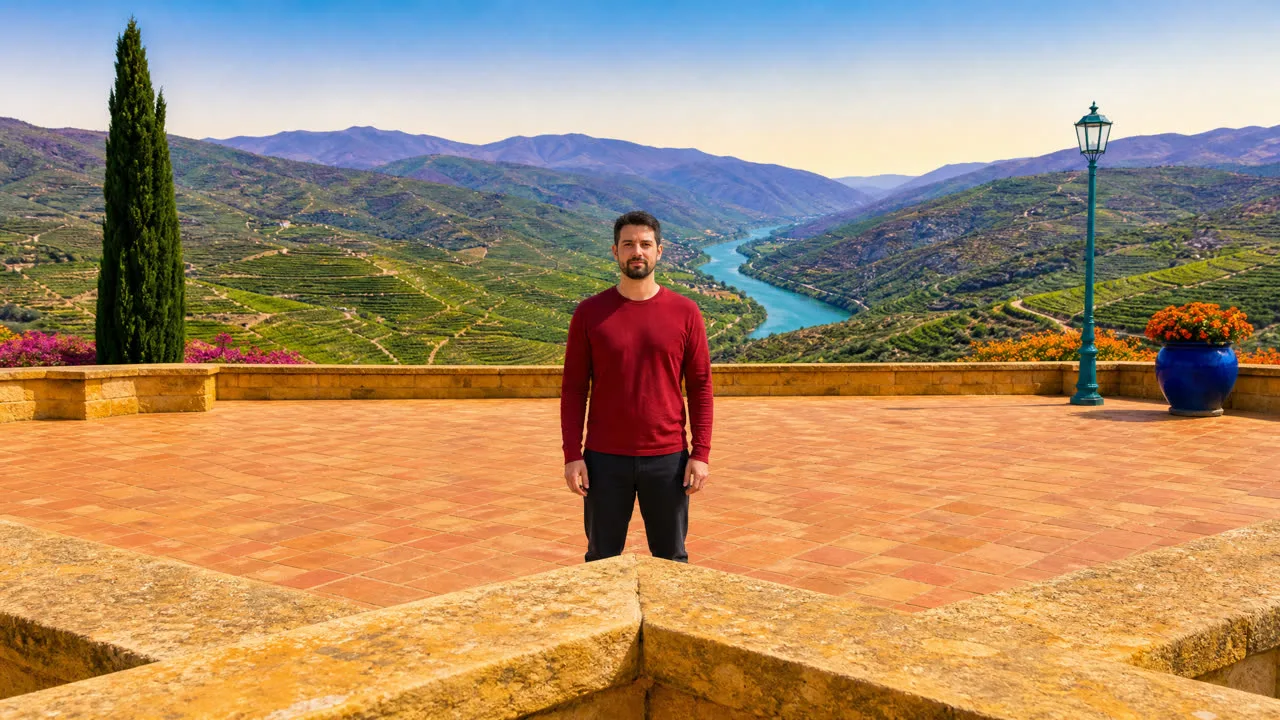

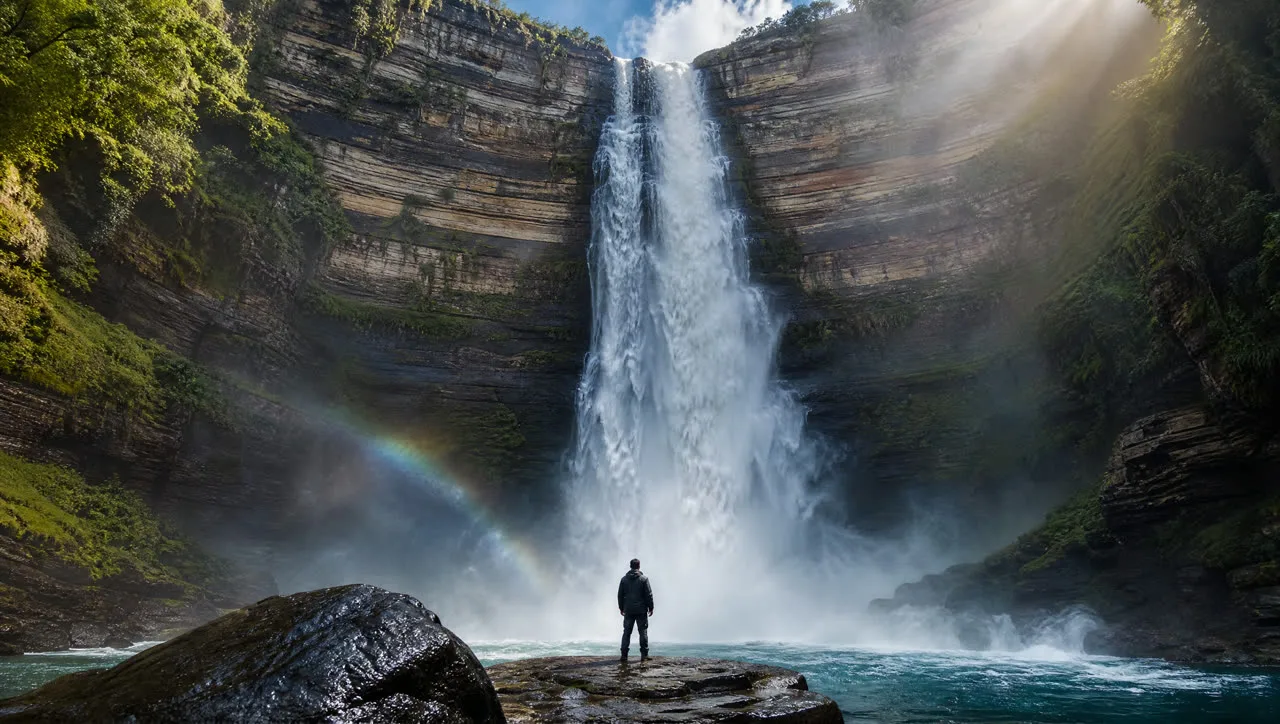

A good base image does not merely make a correct movement visible. It is designed so that an incorrect movement has nowhere to hide.
Over The Shoulder: three failures in one take
The last option that closed the catalog is a good example of why a clip should not be approved because it looks impressive at first glance. The first Over The Shoulder take had three separate problems:
- The model invented dialogue in a foreign language that nobody had requested.
- The camera started too far away and performed a push-in instead of already being framed correctly.
- The second character smiled toward the camera instead of appearing naturally engaged in conversation.
Each issue was fixed separately: we created a base with more believable conversational body language, added explicit static-framing and no-push-in instructions, and specified silence with no dialogue while turning sound off in the generation itself.
A clip can look good and still fail in several independent ways at the same time.
Not every option is really a camera movement
The study also exposed a category problem. Match Cut Zoom, Velocity Edit, Screen Tap and Phone Flip are not traditional camera movements. They are closer to editing or transition effects.
With Screen Tap, for example, the moment we described the physical action that triggers the effect, the model rendered that action. The successful wording instead described what happens to the frame as a result of the transition. This suggests these four options may belong with transitions rather than with camera moves; see the Transition picker.
FailedWording with "finger tap". A real finger appeared. Unmute to hear the click.
ApprovedFrame-only wording, on a base with no person.
What changed after we found the method
Orbit & Arc was where we paid most of the tuition. 51 of the 147 videos were generated for just five options in that family, more than ten takes per option on average. That is where we learned that professional labels alone were not reliable enough, where we almost invented a "left bias", and where the geometric template was born.
The other 59 options took 91 takes in total, roughly one and a half takes per option. The split is not perfectly chronological, because Truck and Tilt were also tested relatively early, but it still shows how much of the learning was concentrated in the first family.
Not everything needed to be rewritten: 14 options passed with their original catalog wording unchanged. By then, we had adopted another process rule:
Before rewriting anything, test the existing generic wording as-is on an appropriate base image.
The lesson is not "longer prompts are better". The lesson is to write only what is necessary to define the movement reliably.
The 13 rules we kept
- Do not use numbers to describe angle, movement magnitude or speed inside the motion prompt. Clip duration is a separate parameter.
- Use one clear direction of camera travel. You can describe several waypoints along the same route, but do not give competing directional instructions.
- The subject can be a geometric anchor. Distance, subject size and framing are valid references, but the motion prompt should not dictate the subject's action or behavior.
- Do not name specific scene content. The instruction should stay usable when the image changes.
- Use vocabulary that belongs to the intended movement, and explicitly protect the axes that should not change.
- First define positively what the camera should do. Negative exclusions are an additional guardrail, not a substitute for describing the desired movement.
- Do not describe one depth layer as barely moving. To communicate depth, describe a gradual difference in motion between near and far elements.
- Handheld, Steadicam, Vlog and Drift need to say whether the camera stays in place. Otherwise, shake or sway may turn into unwanted travel.
- If the correct movement finishes and then reverses, check clip duration first. The exception is movements such as Breathing and Push-Pull, where the return is part of the motion.
- When two options share the same geometry, tell them apart through character or through a visual test that is difficult to fake.
- For editing effects, describe what happens to the frame, not the physical action that triggers the effect.
- Always test the existing wording first. If a rewrite is necessary, keep it generic rather than tailoring it to the content of the test image.
- If the same failure survives two prompt revisions, stop rewriting and inspect the starting frame.
Our checklist for every take
When we review a result, we do not only ask whether it looks good. We check each of these separately:
- Is the direction correct?
- Is the camera actually travelling, or only rotating in place?
- Is the distance to the subject changing the way the movement requires?
- Did the model invent an extra camera movement or render camera equipment inside the shot?
- Did it invent an event in the scene, such as something falling or suddenly appearing?
- Does the subject remain part of the world, or move as though attached to the camera?
- And one more: does the movement finish early and then start reversing when it should not?
Keeping these checks separate matters. Over The Shoulder showed that one take can fail in three different ways at once.
What this changed in the product
All 64 tested options in the Camera Motion picker now use wording that was approved in the lab. Fourteen kept their original wording because it already worked. A regression test now keeps approved wording from being changed by accident.
The study also left some open questions:
- Aerial still does not perfectly separate a vertical descent from tilting the view downward.
- Boom Up and Boom Down overlap heavily with Pedestal and Crane.
- The four edit-type options may fit better with transitions.
- Clip duration turned out to be an important part of the movement, while the picker does not yet suggest a duration for each type.
What we learned
At the beginning, we were trying to make the model understand the language of cinematography better. By the end, we realized that was not quite the problem.
Terms such as Dolly, Orbit or Crane are shortcuts humans use to compress a whole set of physical rules into a single word. The model does not always unpack that word the same way we do. As we relied less on the label and described the physics more explicitly, the results became more predictable. We described what moves, what stays constant, how depth changes, how near and far elements move relative to one another, and where the camera should end.
Then came the second discovery. In image-to-video, the prompt is not the only instruction. The first frame is also an instruction, and sometimes it is the stronger one.
So today, when a camera movement fails, we no longer ask only "What is wrong with the words?" We also ask: "What did the image already tell the model before the words even began?"
In one lineThe better we described the physics, the less we had to describe the cinema.
Camera Motion Lab, research notes, September 2026. Every clip on this page is a real take from the study: image-to-video at 480p, shown next to the take that replaced it.
Frequently asked questions
Related
Camera Motion
Generate Video
Seedance 2.5
Choosing a model
Last updated on