
 Nodaro Docs
Create with Claude
Ask Claude for an image or a video in plain words, and Claude runs Nodaro's models through MCP. A real example turns a product photo into a video ad.
Asaf Naim ·
Claude can make images and videos for you through the Nodaro MCP server. You describe the result in plain words. Claude chooses the Nodaro tools, runs them and shows the finished media in the chat. This page follows one real request from start to finish: a product photo turned into an 8-second video ad with sound.
To connect Claude first, follow Connect Claude. It takes one link and a sign-in with your Nodaro account.
The request
We ran this example from Claude Code, through the same Nodaro MCP server that Claude on the web connects to. The mug does not exist, so the first step makes its photo, and the example shows no real product or brand. With your own photo, Claude skips that step: on Claude on the web, ask Claude to open the Nodaro upload picker.
What Claude ran
Claude used two Nodaro tools, one for each result. The time is from the request to the finished result.
| Step | Tool | Model and settings | Time | Credits |
|---|---|---|---|---|
| The product photo | generate_image | Nano Banana 2, 9:16 | 26 seconds | 22 |
| The video ad | animate_image | VEO 3.1 Fast, 8 seconds, 9:16, 720p, sound on | 93 seconds | 165 |
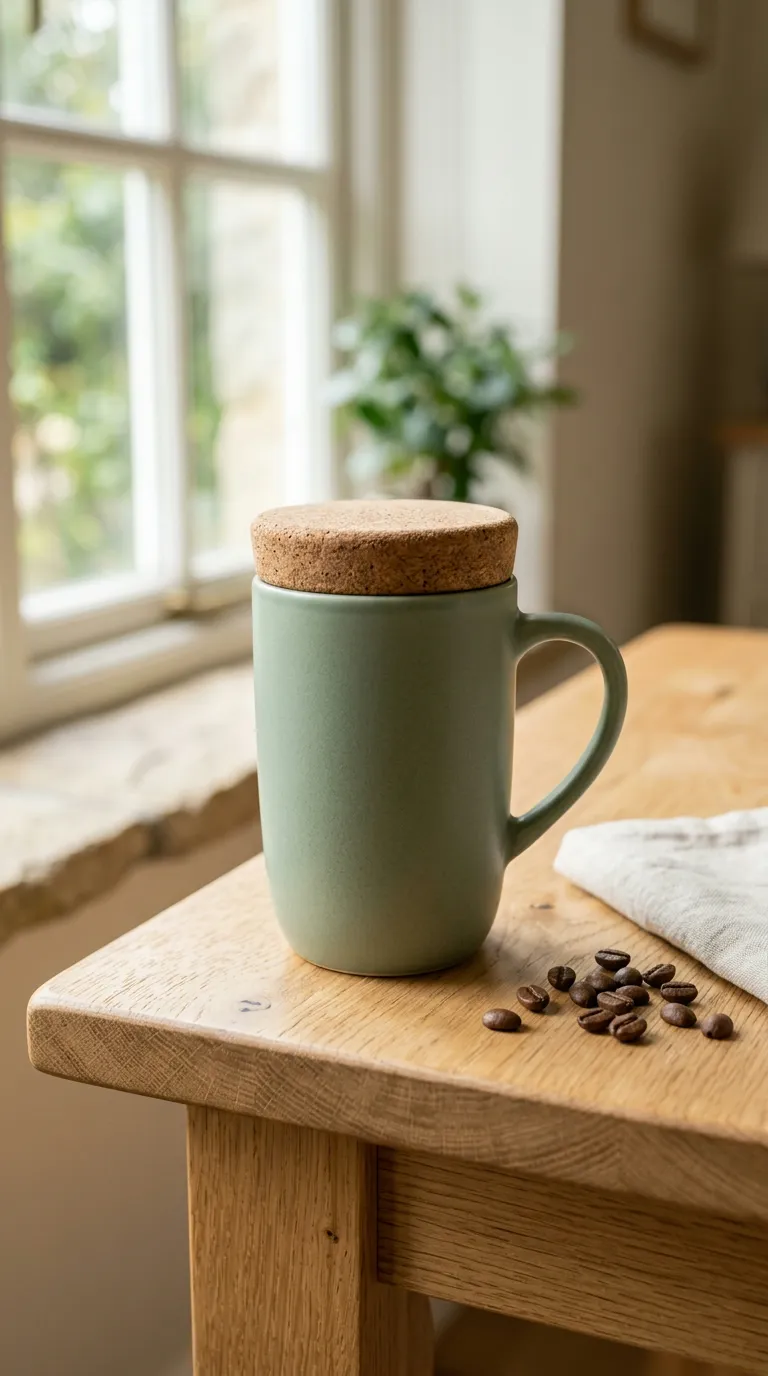
The photo is the first frame of the video. That is why the mug, the cork lid and the table stay exactly as they were.
The video prompt Claude wrote
A short request is enough, because Claude writes the detailed prompt for the video model. Claude described the camera move, the action and the sound in the order that VEO 3.1 follows best:
VEO 3.1 Fast makes the sound in the same run as the picture, so the video needs no separate music or sound-effects step.
Ask for changes in the same chat
Claude remembers the photo and the settings, so a change is one more sentence:
- "Make a 16:9 version for YouTube."
- "Try the same ad with Kling 3.0."
- "Drop the music and keep only the room sounds."
- "Make three photos of the mug in different kitchens, then animate the best one."
Each new result costs its own credits, at the price of the model you choose. Choosing a model compares the video models.
What you see in Claude
Claude on the web shows Nodaro's results as cards. A generation shows live progress, then the image or the video. Images also get Animate, Edit and Recreate buttons. Every result is also saved to your Nodaro library, so you can open it later in the editor.
Keep the steps as a workflow
When a request works, ask Claude to save it as a workflow. Claude builds the same steps as nodes on your canvas, and you can run them again with a new product. Create with VS Code shows a workflow built this way.
Connect Claude
- Open the Connect to Claude link on Connect Claude. Claude opens its Add custom connector dialog with Nodaro filled in.
- Click Add and sign in with your Nodaro account.
- Ask Claude to use Nodaro, for example: "Make a video ad from this photo with Nodaro."
The same tools work in ChatGPT, Cursor and VS Code. The Nodaro MCP tools lists every tool Claude can call.
Frequently asked questions
Can Claude make videos?
Yes, with the Nodaro connector. Claude calls Nodaro's video tools, and the finished clip appears in the chat and in your Nodaro library. In the example on this page, an 8-second video ad with sound took about a minute and a half.
Which video models can Claude use through Nodaro?
Every video model in Nodaro, for example VEO 3.1, Kling 3.0, Seedance 2.5 and MiniMax H3. Name the model in your request, or ask Claude to compare the models first with the list_models tool.
How much does a video from Claude cost?
You pay Nodaro credits for each result, and the price depends on the model and the length. The example on this page cost 22 credits for the photo and 165 credits for the 8-second video.
Can I send my own product photo to Claude?
Yes. On Claude on the web, ask Claude to open the Nodaro upload picker. The upload_image_widget tool shows a file picker in the chat and passes your photo to the next tool.
Can I change the video after Claude makes it?
Yes. Ask for the change in the same chat, for example a 16:9 version or another model. Claude runs the video step again with the new settings, and the photo stays as it was.
Related
Claude
Create with VS Code
Generate Video
VEO 3.1 Fast
Nano Banana 2
Last updated on
Create with your assistant
Real examples of AI assistants making images, videos and workflows with Nodaro through MCP, with every request, tool, model, time and price in credits.
Create with ChatGPT
Connect Nodaro to ChatGPT and make images and videos with any Nodaro model. A real example makes four Instagram images that share one style.